
Crafted a user-centric workspace booking app enabling seamless discovery, reservation, and management of flexible work environments.
01- My role
- Home Page, Check-in Page, in-pod layout, heuristics
- Team
- Aditya, Harshini, Dhanush
- Course
- User Interface Studies
- Time
- Three Weeks
What this project covered?
- Problem framing
- UI design
- Secondary research
- Branding
- Concept design
- Service design
- Interaction design
- Heuristic evaluation
- Design system
- Prototyping
- Compliance thinking
How this was made?
Three designers, three weeks. The UI was designed in Figma. The pod renders came from ChatGPT and Gemini. We didn't have time for fieldwork, so the research and user testing were AI-assisted rather than interviews. Wherever that applies, you'll see this label:
In scope
- User research and personas for Bangalore
- UI and UX for the app and the in-pod screen
- Concept pods that follow BBMP guidelines
- Better accessibility with AI, NLP and gestures
Out of scope
- Hardware mechanics and logistics
- Structural and architectural drawings
Let’s back-up a little.
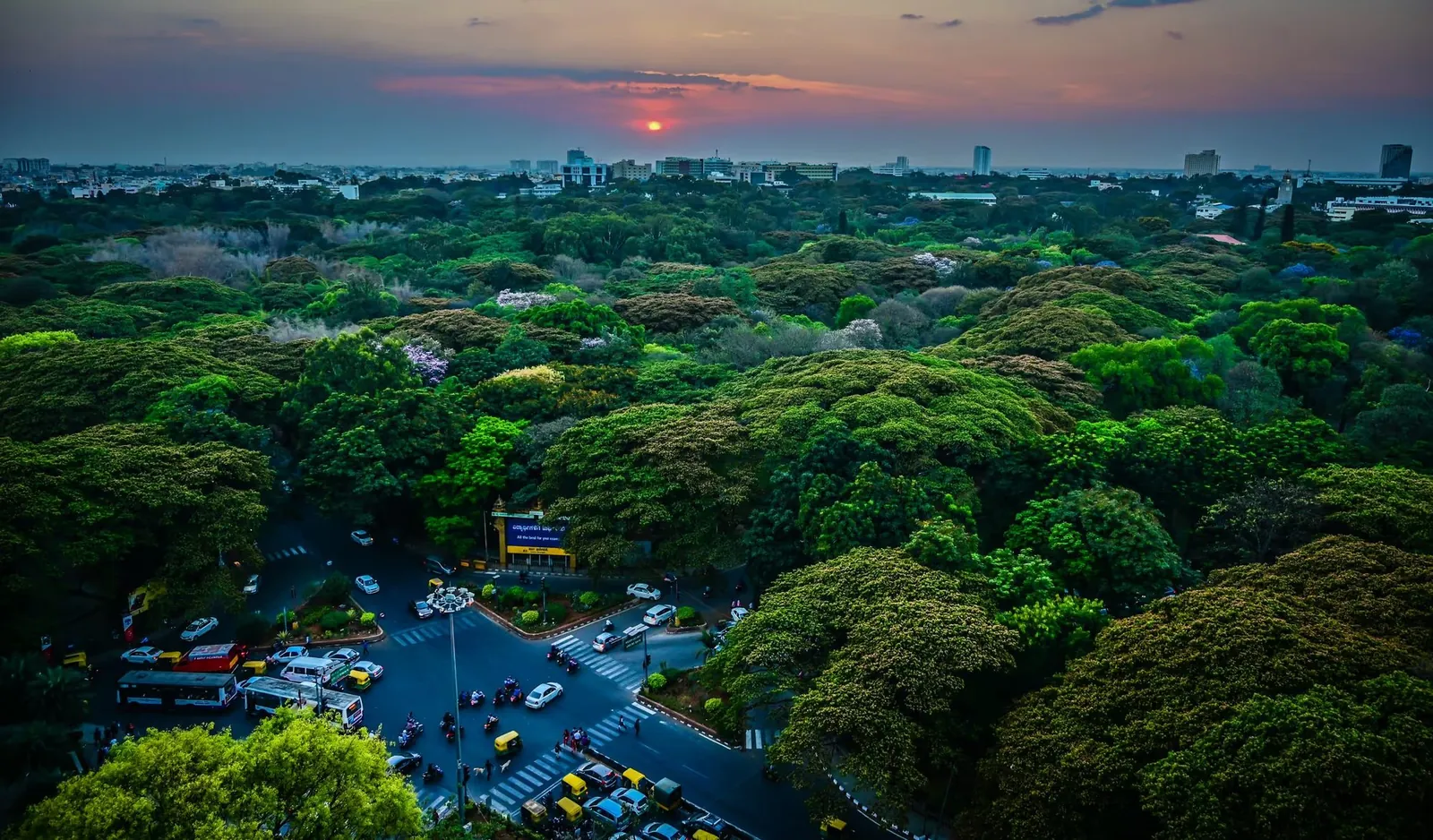
Urban professionals in Bangalore lack quiet, private workspaces in public areas.
The why.
User Research
3 Insights
- 01
People like stepping out for work but find it difficult to focus.
- 02
Most people also struggle to find fully functioning charging ports.
- 03

Uncomfortable taking meetings in public due to noise and privacy concerns.
The how.
Solution
A service that integrates a booking app with smart pods that are
 soundproof
 ergonomic
 temperature controlled
 accessible
 sustainable
 economical
The where.
Solution
Parks. why?
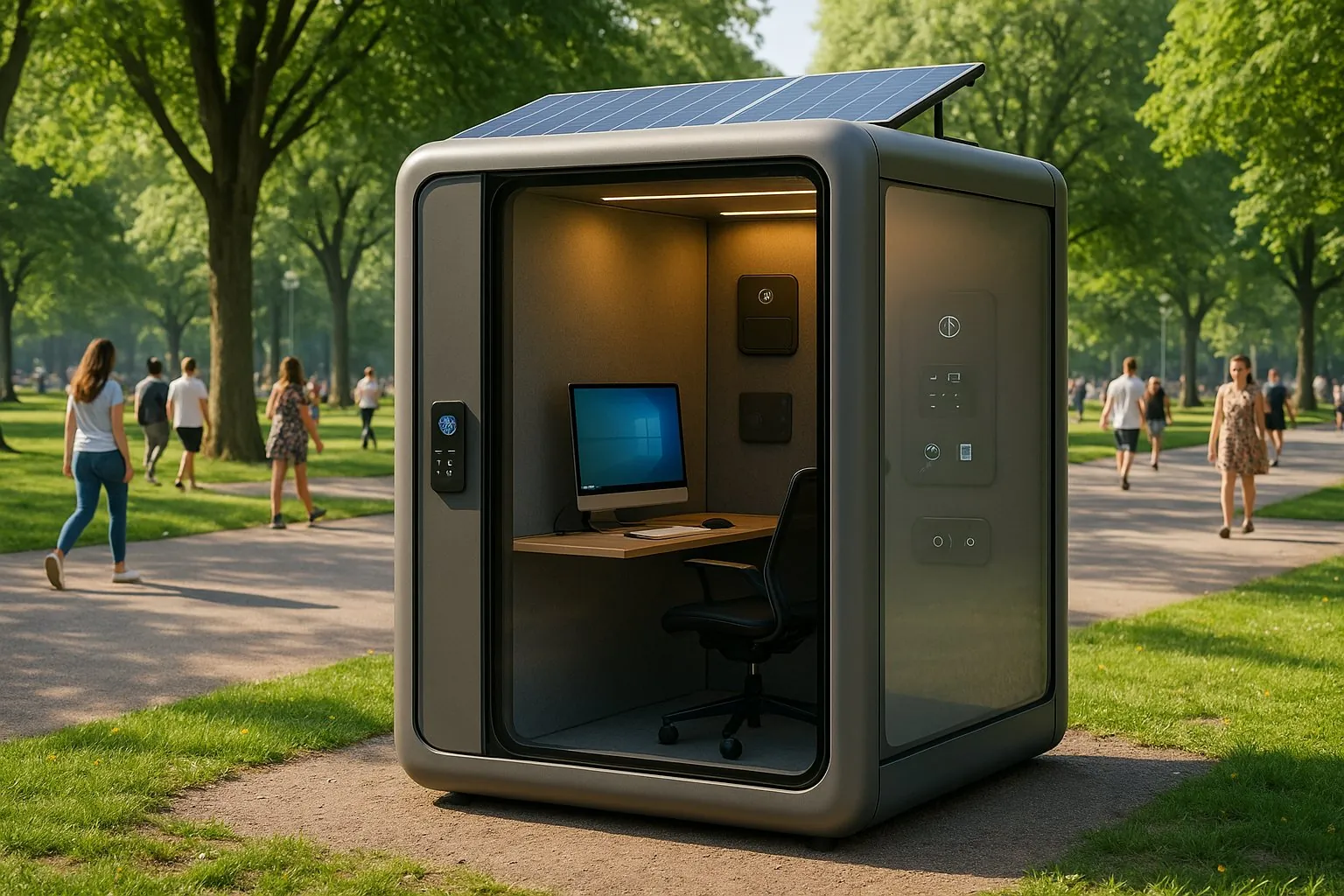
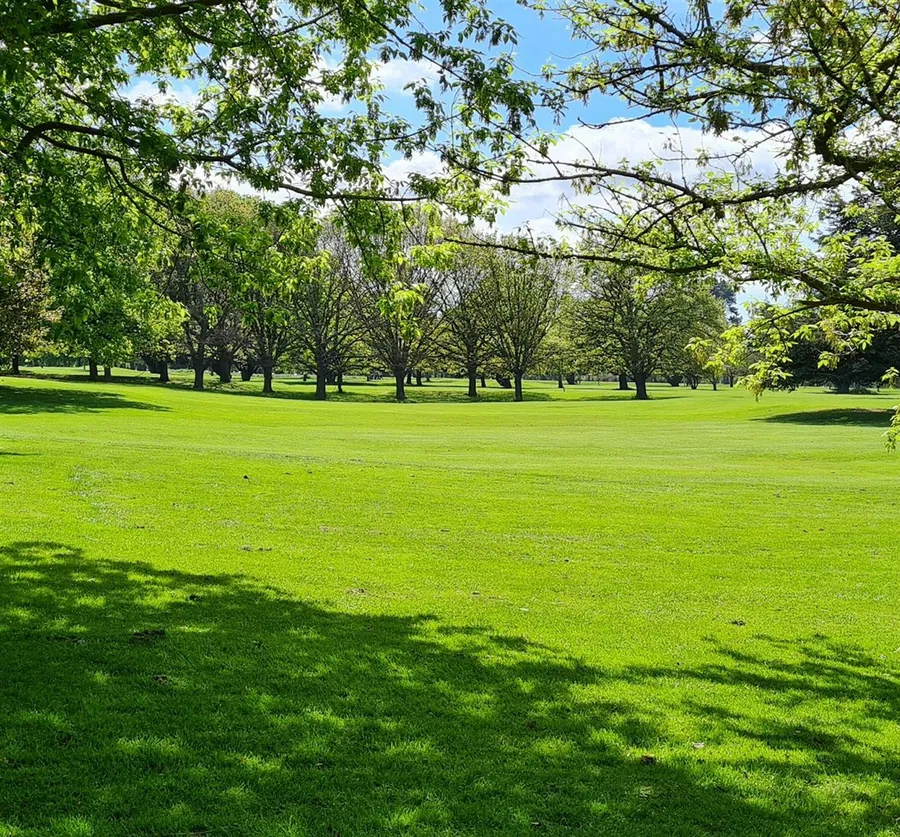
In a perpetually bustling city like Bangalore, people could use some peace and quiet. They could also touch some grass a little. Especially as people grow more health conscious we found it important to prioritise human well-being.
 AI-assisted
We are designing for a bustling, innovation-driven city, while operating within strict municipal guidelines that ensure safety, accessibility, and sustainability.
The who.
User Personas
- Quiet, no distractions→ Acoustic insulation + noise cancellingFreelance designer, 28: needs thisStudent developer, 22: needs thisProduct manager, 32: needs this
- A network that holds up→ Private pod networkFreelance designer, 28: needs thisStudent developer, 22: needs thisProduct manager, 32: needs this
- Privacy for calls→ Electrochromic glassFreelance designer, 28: needs thisStudent developer, 22: needs thisProduct manager, 32: needs this
- Power points that work→ Universal charging portsFreelance designer, 28: needs thisStudent developer, 22: doesn’t need thisProduct manager, 32: needs this
- Affordable, on their schedule→ Live availability + integrated paymentsFreelance designer, 28: needs thisStudent developer, 22: needs thisProduct manager, 32: doesn’t need this
Every persona needs quiet, a reliable network and privacy, so soundproofing, a private pod network and smart glass became the core of every pod.
But work pods already exist. How is this any different?
Pods that exist.
7 pods, 5 patents
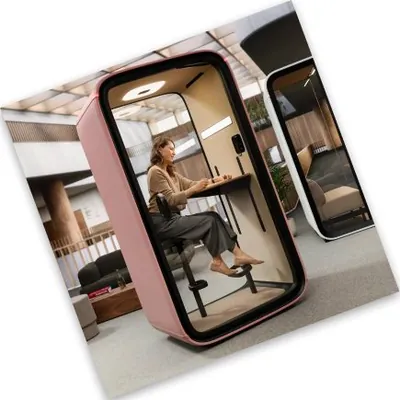
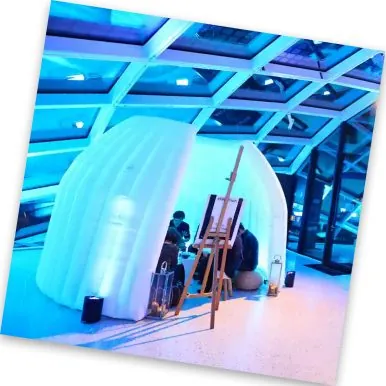
We looked at seven existing pods and five patents. Some things work. Most miss.
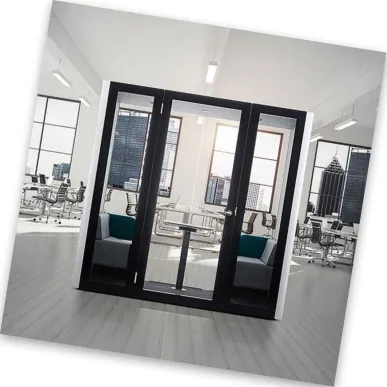
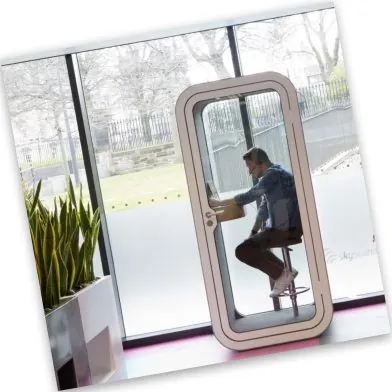
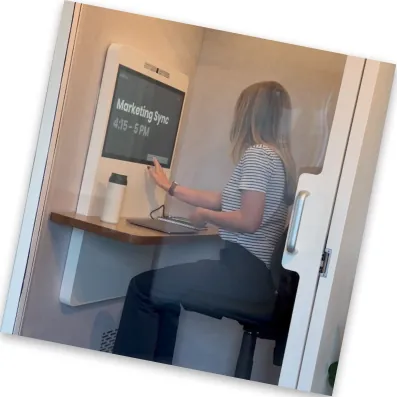
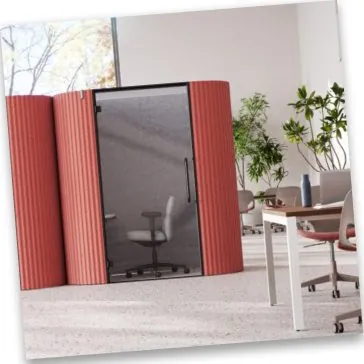
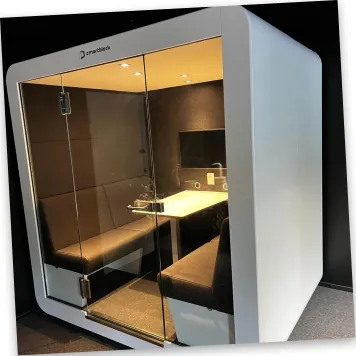
What doesn't work
- Dystopian look
- Claustrophobic
- Not good for prolonged use
- Bad airflow or circulation
- Reads like a sci-fi booth
- A Futurama comparison from Reddit
- Materials smell toxic after a while
- Very uncomfortable
What works
- Touch screen controls temperature and airflow
- A big-enough desk
- Customisable lighting
- Plays music
- Properly soundproof
- Its own OS, so it can run Zoom and Teams
Patents we read
- US20240005392A1 : A workpod system for homes, with a rental and reservation interface. Owners can rent to other users.
- US12168869B2 : An office pod with a soundproofing wall structure.
- WO2020220039A1 : A personal pod system with heat and sound insulation.
- US20190119902A1 : A transportable multi-purpose structure.
- US20240046236A1 : A method for a discreet workspace in public, private or semi-private settings, using NLP, AI and machine learning.
What BBMP requires
- Building licence: Apply with plans, designs and land details.
- Sanctioned plans: Comply with zoning, setbacks and FSI, and have a licensed architect approve them.
- NOCs: From BESCOM, BWSSB, the fire department and others.
- Affidavits: Required at key stages. BBMP inspects periodically.
- Enforcement risk: Unauthorised pods count as encroachments and may be removed.
- Handling deviations: BBMP must issue notices, and possibly a fee, before demolition.
STEEP Analysis
- Social: Hybrid and remote work means more people need quiet, professional spaces outside the office. People are uncomfortable taking calls or handling sensitive work in the open. Nature-integrated workspaces are increasingly preferred.
- Technological: High-speed Wi-Fi or a private network. Touch, voice and gesture controls for accessibility. App-based entry. An in-built OS that runs Zoom, Teams and payments.
- Economic: Cheaper than co-working spaces or pricey cafes. Hourly fees, subscriptions and corporate tie-ups. A growing gig economy and start-up scene in Bangalore.
- Environmental: Sustainable, recycled or upcycled materials. Solar or hybrid power. Placed in parks without harming biodiversity.
- Political: Compliance with BBMP, BESCOM, BWSSB and fire safety. A possible tie-up with smart city initiatives. Data privacy laws, plus building safety and accessibility standards.
MOSCOW Analysis.
1Must have
6- Ergonomic, adjustable table and chair
- Good air flow, filtration and circulation
- Reservation system
- In-built OS with meeting platforms and payment
- Effective soundproofing
- Charging ports
2Should have
5- In-house network
- Temperature control
- Voice and gesture controls
- Hourly reminders to take a break
- Made with sustainable materials
3Could have
4- Speakers
- Bluetooth connectivity
- Adjustable lighting
- Water dispenser
4Won’t have
4- Chargers for various devices
- Removable or movable screen
- Data saving
- In-built laptops or phones
Prioritization matrix.
Each requirement scored against every other. 1 wins, 0.5 ties, 0 loses.
- R1. Ergonomic + adjustable table & chair
- R2. Good air flow/ filtration/ circulation
- R3. Reservation system
- R4. In built OS - Meeting platforms + payment
- R5. Effective Soundproofing
- R6. Charging ports
- R7. In - house network
- R8. Temperature controls
- R9. Voice & Gesture controls
- R10. Hourly reminders to take a break
- R11. made with sustainable materials
| Requirement | R1 | R2 | R3 | R4 | R5 | R6 | R7 | R8 | R9 | R10 | R11 | Σ |
|---|---|---|---|---|---|---|---|---|---|---|---|---|
| R1 | - | 0.5 | 1 | 0.5 | 0.5 | 0.5 | 1 | 0.5 | 1 | 1 | 1 | 7.5 |
| R2 | 0.5 | - | 1 | 0.5 | 0.5 | 0.5 | 1 | 0.5 | 1 | 0.5 | 1 | 7 |
| R3 | 0 | 0 | - | 0.5 | 0 | 0 | 0.5 | 0 | 0.5 | 0.5 | 0.5 | 2.5 |
| R4 | 0.5 | 0.5 | 0.5 | - | 0.5 | 0.5 | 0.5 | 0.5 | 1 | 1 | 1 | 6.5 |
| R5 | 0.5 | 0.5 | 1 | 0.5 | - | 0.5 | 0.5 | 0.5 | 1 | 1 | 0.5 | 6.5 |
| R6 | 0.5 | 0.5 | 1 | 0.5 | 0.5 | - | 0.5 | 0.5 | 1 | 1 | 1 | 7 |
| R7 | 0 | 0 | 0.5 | 0.5 | 0.5 | 0.5 | - | 0.5 | 1 | 1 | 1 | 5.5 |
| R8 | 0.5 | 0.5 | 1 | 0.5 | 0.5 | 0.5 | 0.5 | - | 0.5 | 1 | 0.5 | 6 |
| R9 | 0 | 0 | 0.5 | 0 | 0 | 0 | 0 | 0.5 | - | 1 | 0.5 | 2.5 |
| R10 | 0 | 0.5 | 0.5 | 0 | 0 | 0 | 0 | 0 | 0 | - | 0.5 | 1.5 |
| R11 | 0 | 0 | 0.5 | 0 | 0.5 | 0 | 0 | 0.5 | 0.5 | 0.5 | - | 2.5 |
Hover a row to read it.
Three concepts, one pod.
Each of us drew up a concept. We chose EcoDesk and improved it.
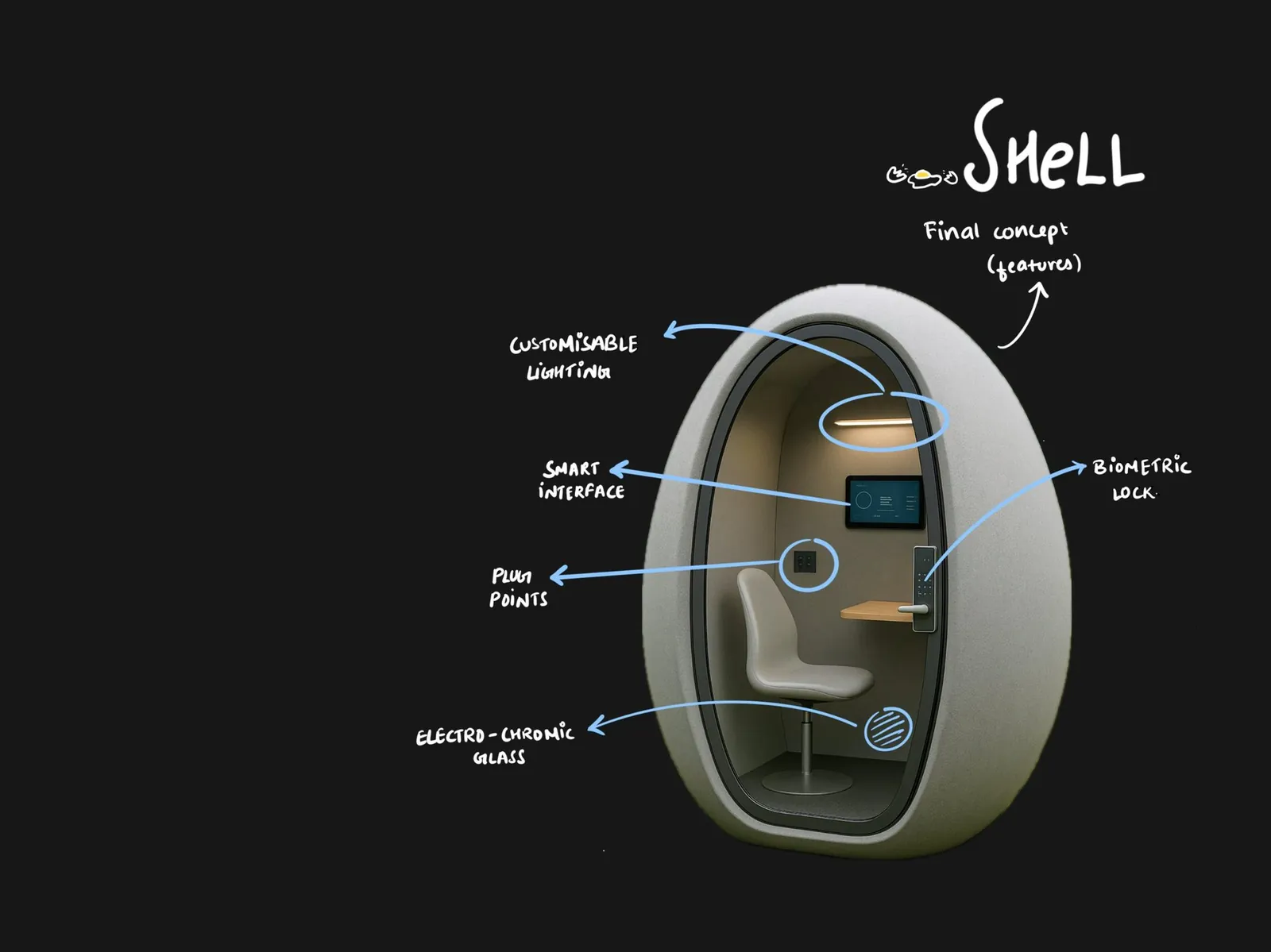 AI-assisted01
Shell
An egg-shaped form that feels spacious, not intimidating. Customisable lighting, a smart interface, a biometric lock, plug points and electrochromic glass.
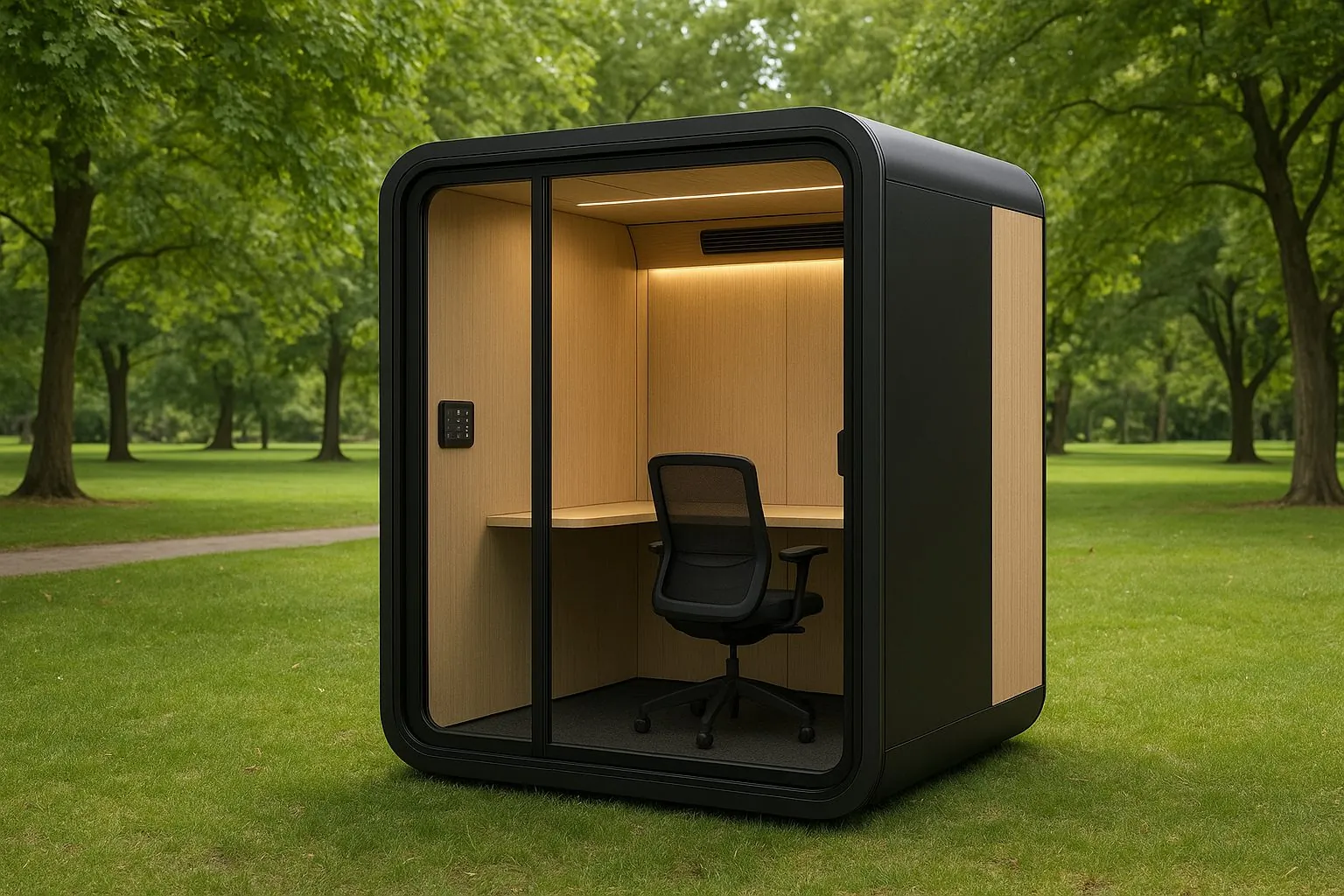 AI-assisted02
The Cube
Spacious, with adjustable furniture and a biometric lock. AI and NLP, built-in Wi-Fi, its own OS, air conditioning, temperature control and speakers.
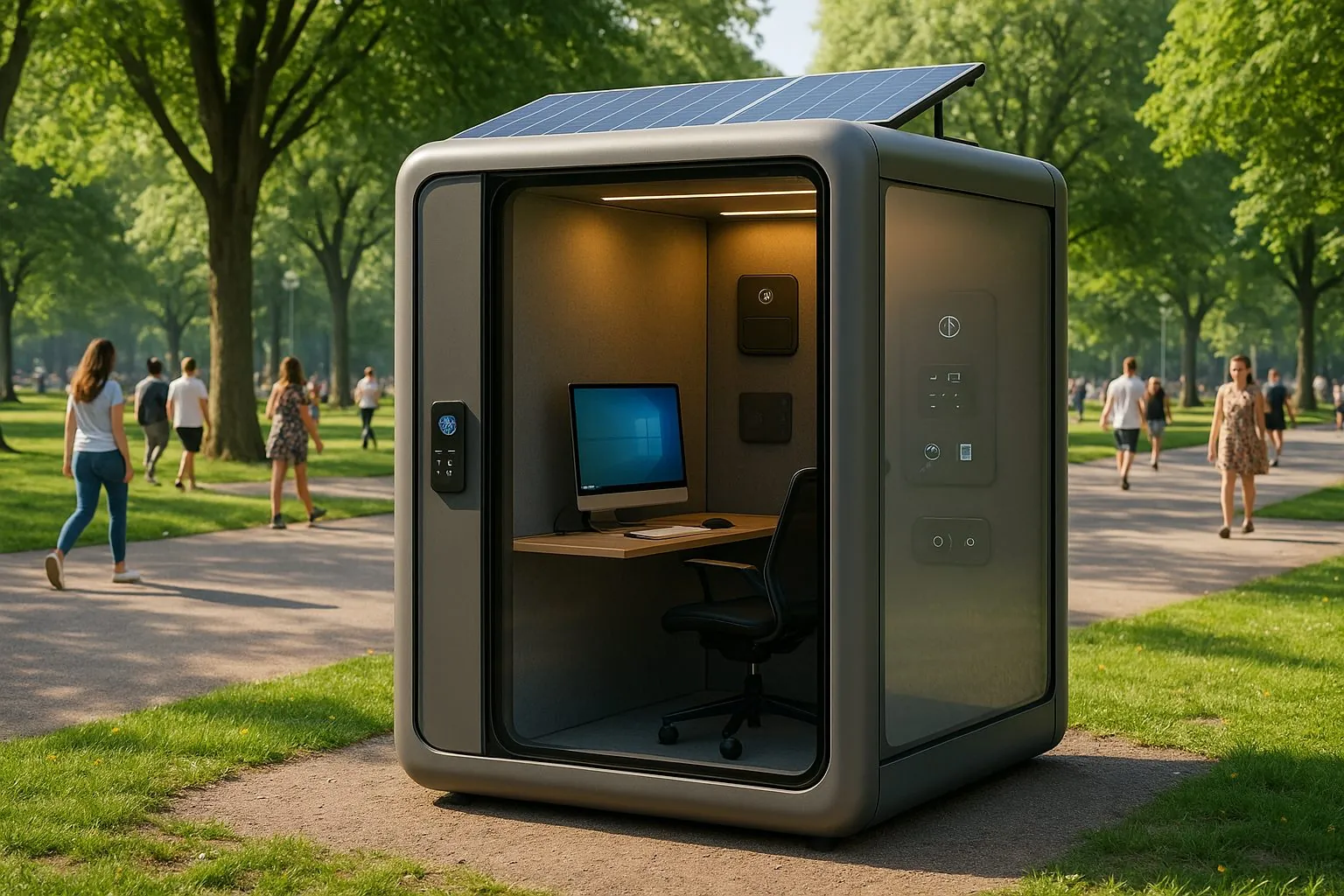 AI-assisted03
EcoDesk
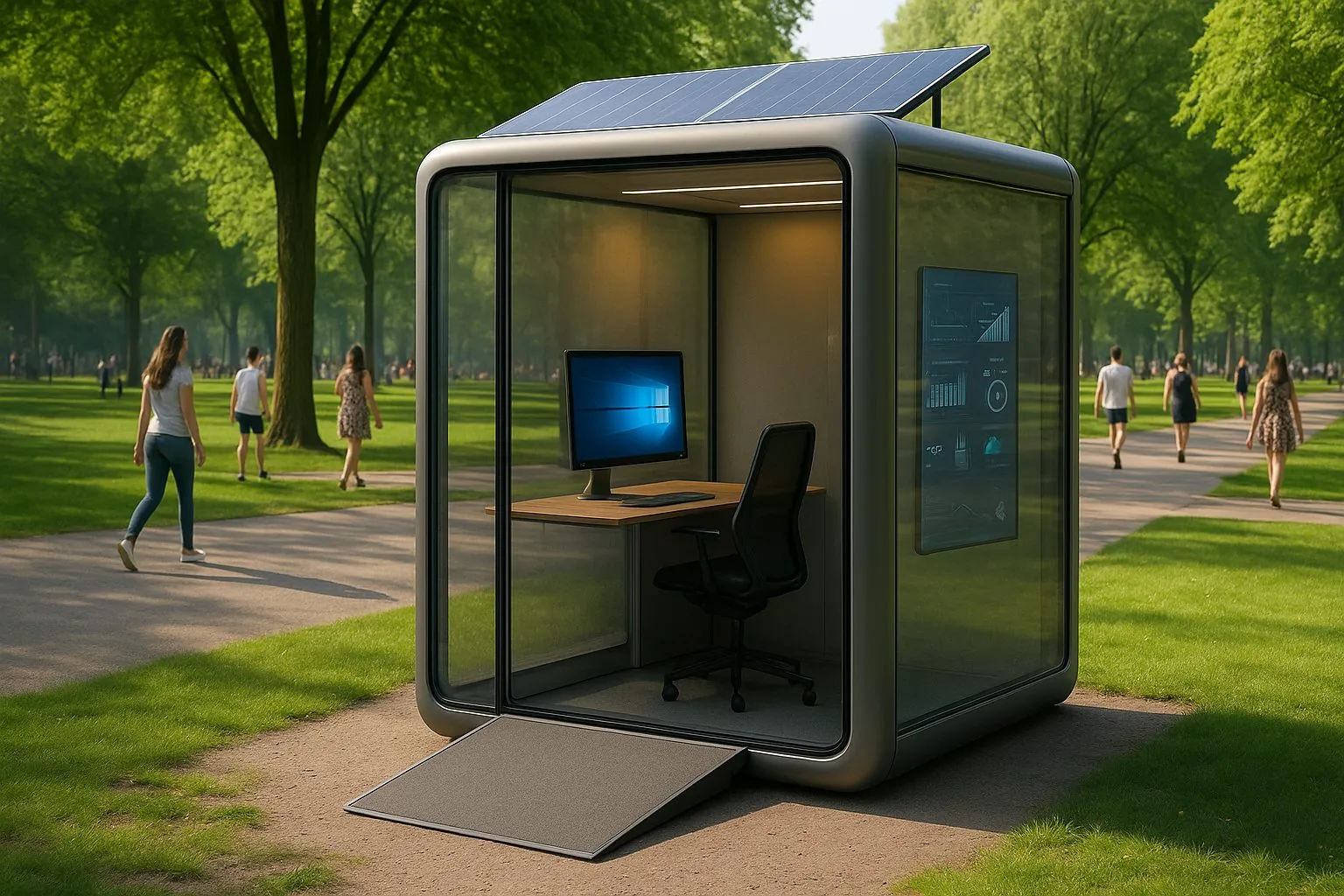
A solar roof, biometric code panel, acoustic insulation, a touchscreen panel and diffused electrochromic glass walls.
 AI-assisted04
Final Concept
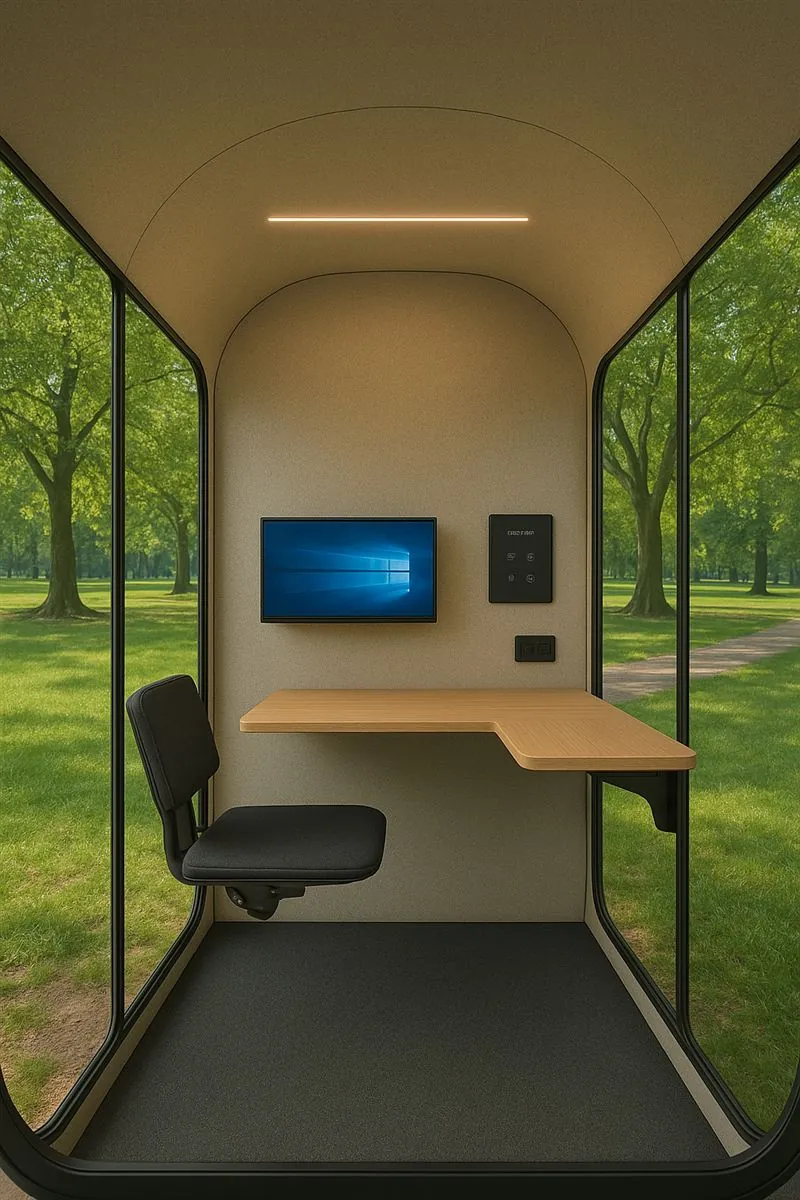
Improved version of EcoDesk. In addition to the original features, we also added a ramp for better accessibility, smart glass and customisable temperature + light lamps.
The service.
Rekha is a freelance coder who's always working on the move. She's trying to get out more, mostly because she's against the "bed-rotting coder" stereotype. But what happens when her client schedules an impromptu meeting while she's out?
What gets in her way
- Background noise
- Poor, patchy network
- No power sources
- Privacy concerns
What would help
- On-demand booking
- Good network
- Working plug points
- Soundproofing that keeps ventilation
A sudden meeting
Rekha gets a notification: a client wants a call, and she’s in the middle of the city
- 1
Rekha gets a sudden notification about a meeting
- 2
She opens the Havn mobile app on her phone
- 3
Rekha books the pod for the next hour with a single tap using UPI payment
- 4
Rekha reaches the pod, scans the QR code, and enters
- 5
She launches Zoom from the in-pod interface, shares her screen, and codes in real-time with the client
- 6
Meeting ends, so she ends her session on the interface
Ten features came out of it
Scroll to turn the wheel
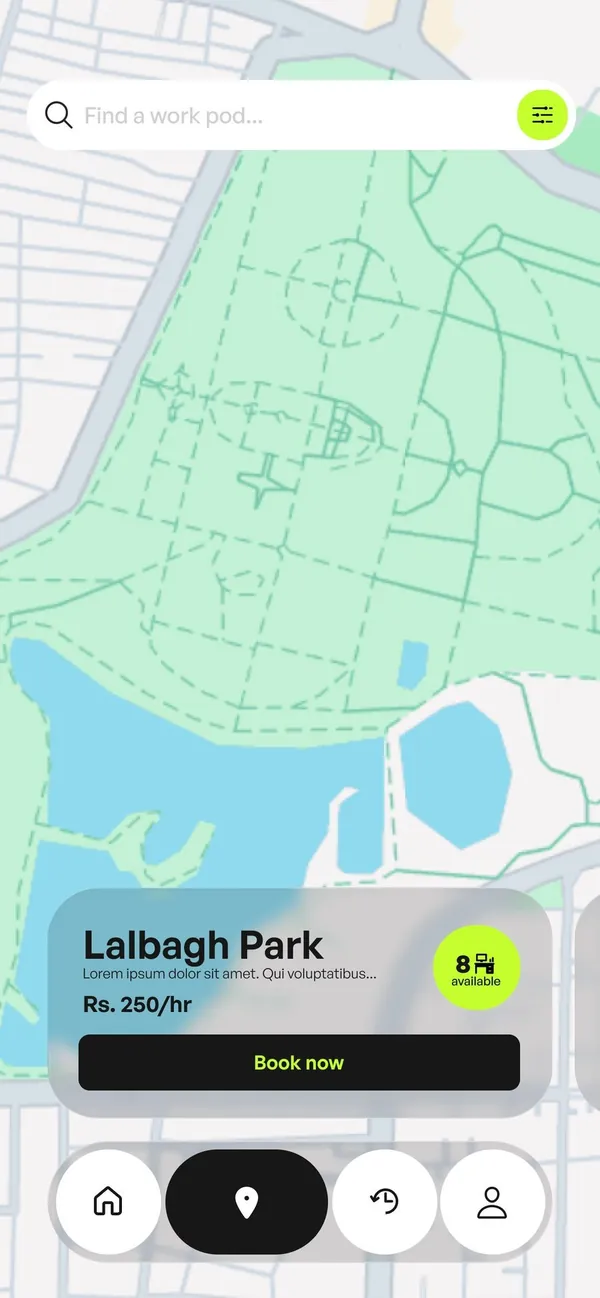
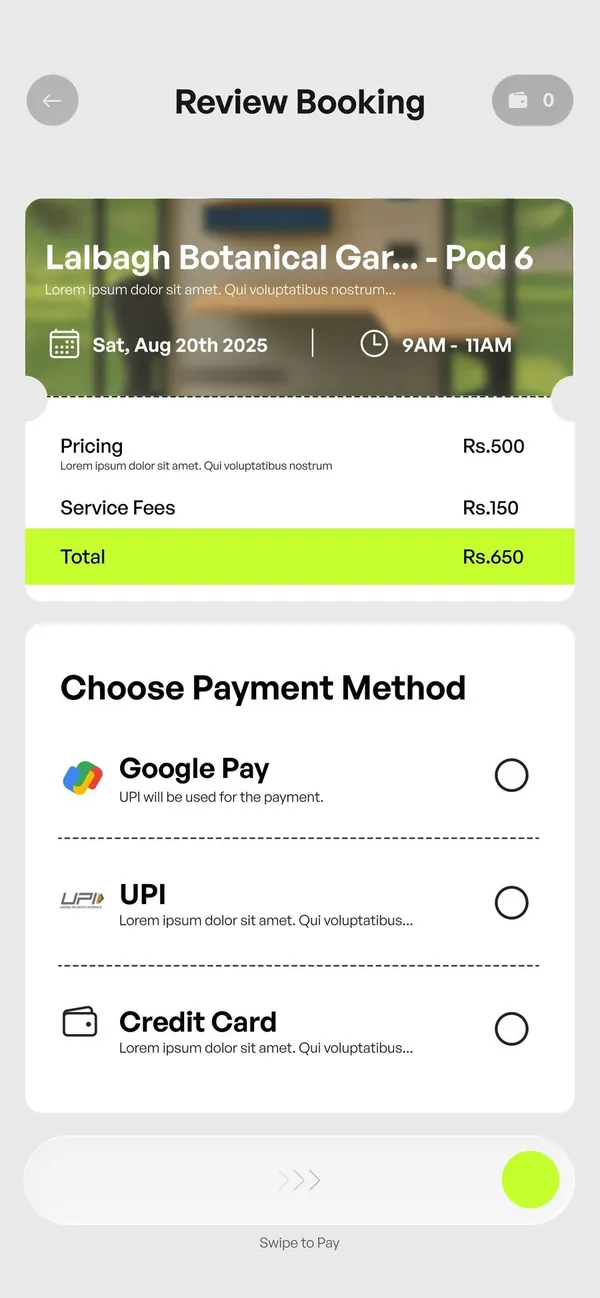
- 01Live map of pod availability
- 02Integrated payments
- 03QR or biometric access
- 04Preferences saved in the app
- 05Contactless entry
- 06In-pod OS
- 07Acoustic insulation plus digital noise cancelling
- 08Electrochromic glass
- 09Auto-end session
- 10UV cleaning between users
The app, of course.
How else were you planning to get to the pod lol?)
My screens.
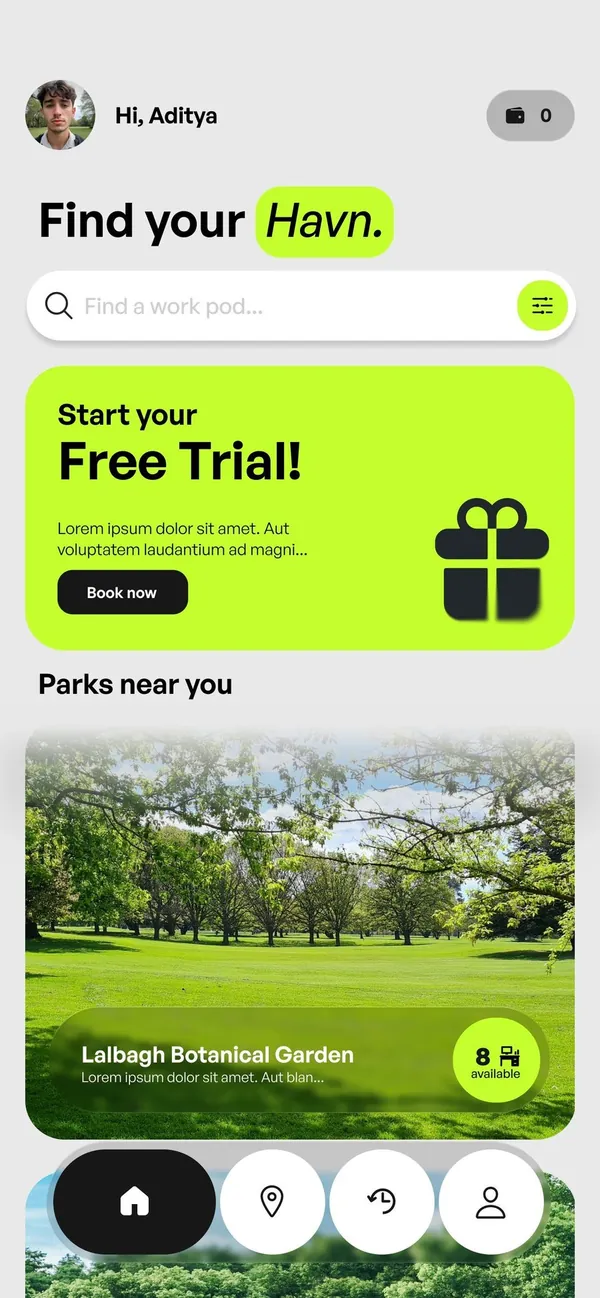
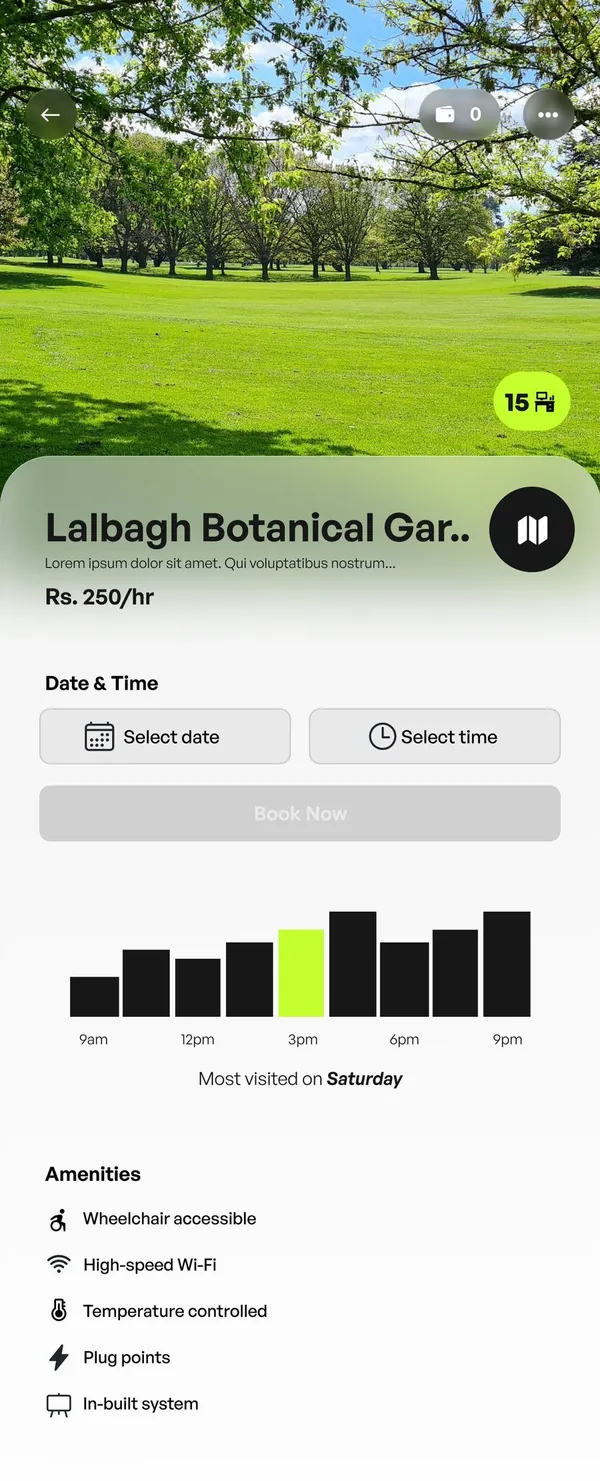
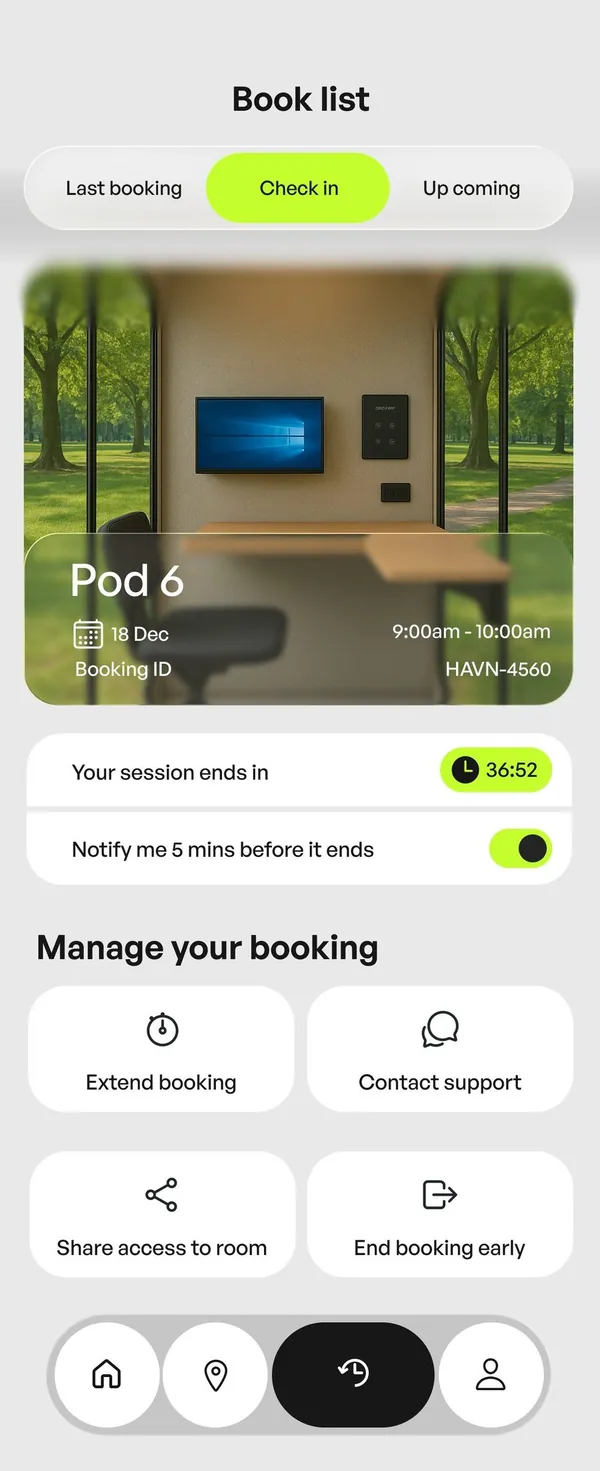
Home & Check-in
These two are mine. This is a working rebuild in code, so poke around: scroll the cards, filter, switch tabs, extend or end the session
 Hi, Aditya 0
Find your Havn.
Start your
Free Trial!Parks near you
No parks match that search.
Rs. 250/hr
Rs. 250/hr
Rs. 250/hr
Rs. 250/hr
 15
15Lalbagh Botanical Garden
Rs. 250/hr
Date & Time
Most visited on Saturday
Amenities
- Wheelchair accessible
- High-speed Wi-Fi
- Temperature controlled
- Plug points
- In-built system
Lalbagh Botanical Gar..
Rs. 250/hr
8availableBook Pod
0Select Date & Time
Review Booking
0PricingRs.500
Service FeesRs.150
TotalRs.650
Choose Payment Method
Book list
Rs. 250/hr
Rs. 250/hr
Rs. 250/hr
Your session ends in36:52
Notify me 5 mins before it ends
Manage your booking
Nothing booked yet. Pick a park on Home.
AdityaWallet balance: Rs.0
Prototype. Park numbers are sample data.
Heuristics, applied.
On my screens
After the first pass I reviewed the screens against established heuristics and redesigned where they fell short. Three are easy to see on Home.
Hick’s Law
Home offers only a few options, which keeps decision time short
Fitts’s Law
The navigation buttons are large, so they’re quick and easy to tap.
Gestalt similarity
Every nav icon shares the same circular shape, so they read as one group.
Every principle we mapped
- Nielsen: Visibility of system status
The wallet icon with a 0 balance shows status. - Nielsen: Match with the real world
Familiar language and concepts. - Shneiderman: Informative feedback
The interface tells you what happened. - Shneiderman: Internal locus of control
People feel in control. - Shneiderman: Dialogues yield closure
Ending a booking shows a clear finish. - Shneiderman: Shortcuts for frequent users
Book again on past bookings. - Jakob’s Law: It works like apps people already know.
- Recognition rather than recall
Options are shown, not remembered. - Norman: Visibility
The more visible a function, the more likely people find it. - Norman: Mapping
Controls relate naturally to their effects. - Norman: affordance
The design suggests how it is used. - Gestalt: Perception and grouping
Related things sit and look together.
Design system.
The parts the screens are built from. Click them; they behave.

Colour Click to copy
Type
Find your Havn.
General Sans, Medium and Semibold
Toggle
Radio
Search bar
Segmented tabs
Floating navigation
Date picker
The screen inside.
Layout by me
Once you're in the pod, the screen takes over. I laid out the interface so everything you need for a call sits in one glance.
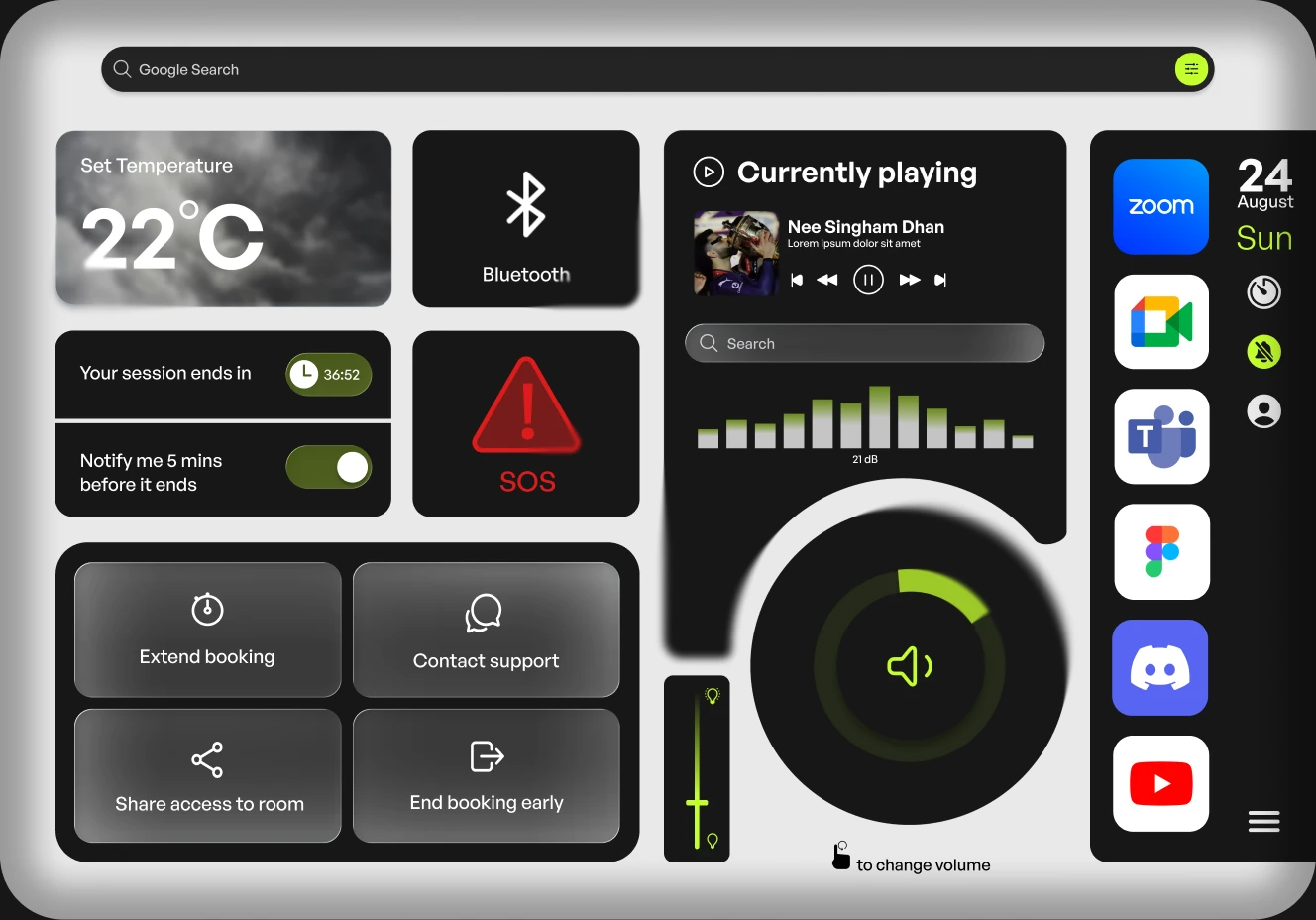
All five notes
What testing changed.
AI-simulated testing, not real users
We ran the prototype past AI-simulated testers and fixed what they flagged. Flip each screen to see the change.
Home
People wanted to narrow parks by distance and pods. Added a filter button to the search bar.
Map
People couldn’t tell which pods were booked. Added a legend: booked, available and under maintenance.
Review booking
People were unsure of the final amount, and most tapped Pay instead of swiping. Grouped the price rows with a lime total, and added chevrons and a “Swipe to Pay” label.
More than an app.
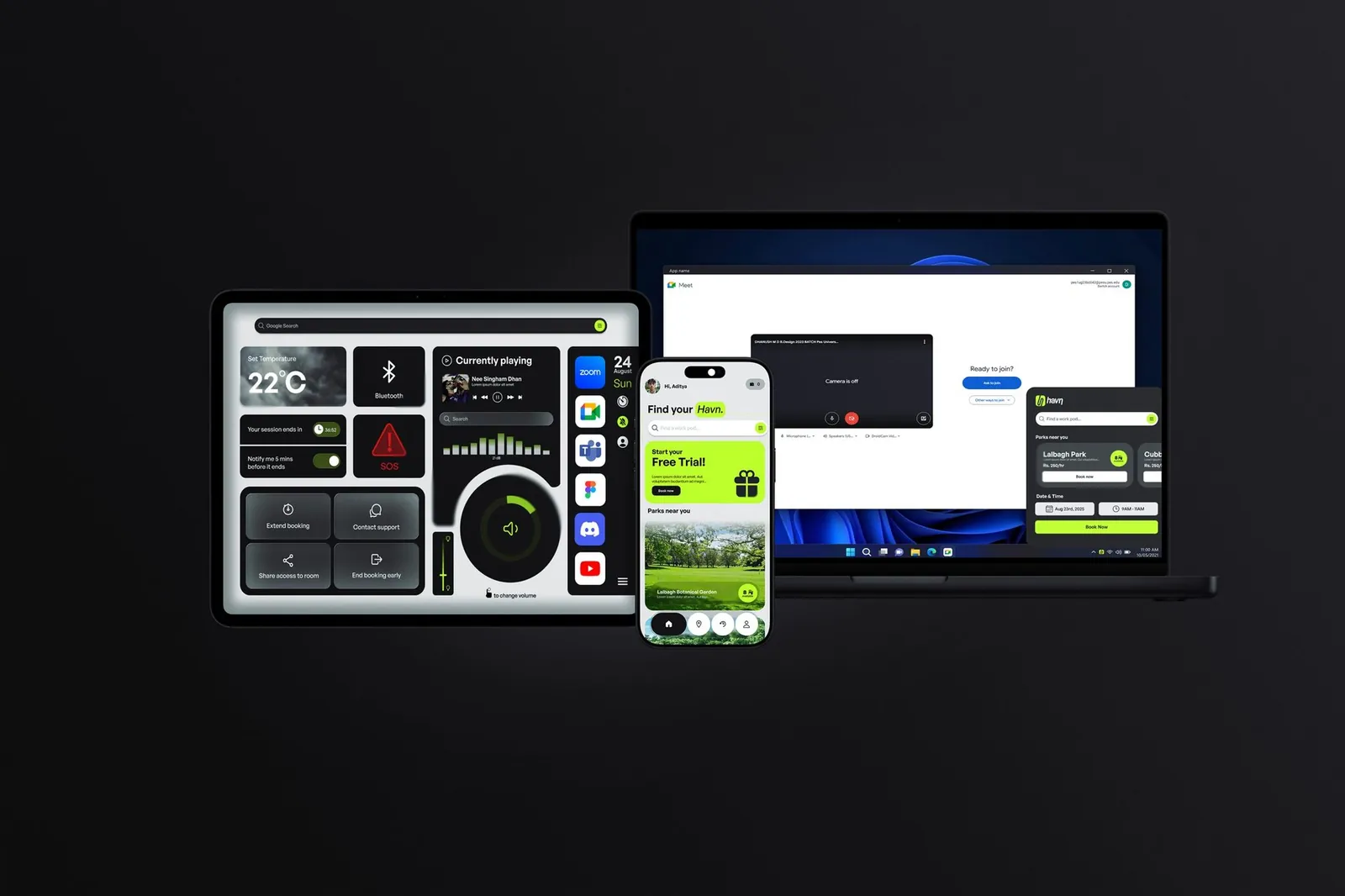
A phone app to book, a tablet in the pod, a laptop for the meeting and a web view.
Aditya Vellal
- 2 app screens: Home and Check-in
- In-pod screen layout
- Heuristic principles
- Screen redesign
- Behance compilation
Harshini Chander
- 3 screens
- Usability testing
- Screen redesign
- Behance compilation
Dhanush MD
- 3 screens
- After Effects
- Heuristic principles
- Behance compilation
Team Sickk. We worked side by side and shaped each other’s screens, so these lists overlap.
What I'd do next
- Test the prototype with real people. The testing here was simulated, and that's the biggest gap.
- Make a short motion piece for the in-pod interface.
- This is a concept. No pod was built, so the hardware questions are still open