Interaction Design for Extended Reality
Flow
Patient data in a doctor's line of sight, from AR glasses to a virtual ward.
Look at a panel for a second, like you would in the headset
A context-aware interface that puts patient vitals and records in a doctor's view during hospital rounds. First as AR smart glasses, then as an immersive VR ward we built in Unity.
03- My role
- The idea, HUD design, the Unity build, the deck, some Blender
- Team
- Aditya Vellal, Ahona Kar, Mishka Fernandes
- Course
- Interaction Design for Extended Reality
- Time
- 3 – 18 March 2026
What this project covered?
- XR design
- Interaction design
- HUD design
- Spatial UI
- Unity
- XR Interaction Toolkit
- Blender
- Healthcare
- Research
- Prototyping
How this was made?
Three of us, two phases. The HUDs were designed in Figma, the ward was built in Unity with the XR Interaction Toolkit, and models came from Blender and asset libraries. The hospital photos are AI-generated; wherever AI made something, you'll see this label:
The why.
Doctors conduct 20–40 patient rounds daily, repeatedly retrieving patient data through manual systems.
Repetitive
Delayed
Inefficient
 AI-assisted
Why XR?
XR brings data into doctors' view, keeping focus on patients, not screens.
XR cuts manual navigation, reducing delays and cognitive load when it matters most.
XR turns the physical environment into a smart interface, merging real and digital seamlessly.
The who and where.
Who it's for
Now
- Specialists & senior consultants
- General physicians
- In multi-specialty hospitals
Later
- Emergency department doctors
- ICU supervisors
- Doctors working in high-pressure clinical environments
- Scalable to government hospitals with affordable hardware
Where it works
 AI-assisted
- Inpatient wards
- Multi-floor medical facilities
- Large private hospitals
Flow AR
The first idea
FlowAR is a context-aware clinical interface that automatically displays patient vitals and key medical data to doctors during hospital rounds using AR smart glasses.
A discreet NFC tag installed at each patient room doorframe communicates a unique room ID to the glasses as the doctor approaches. The glasses securely retrieve patient data from the hospital's existing EMR system and overlay it contextually in real time, without biometric scanning.
One round, step by step
What the doctor does, what the glasses pick up, and what appears.
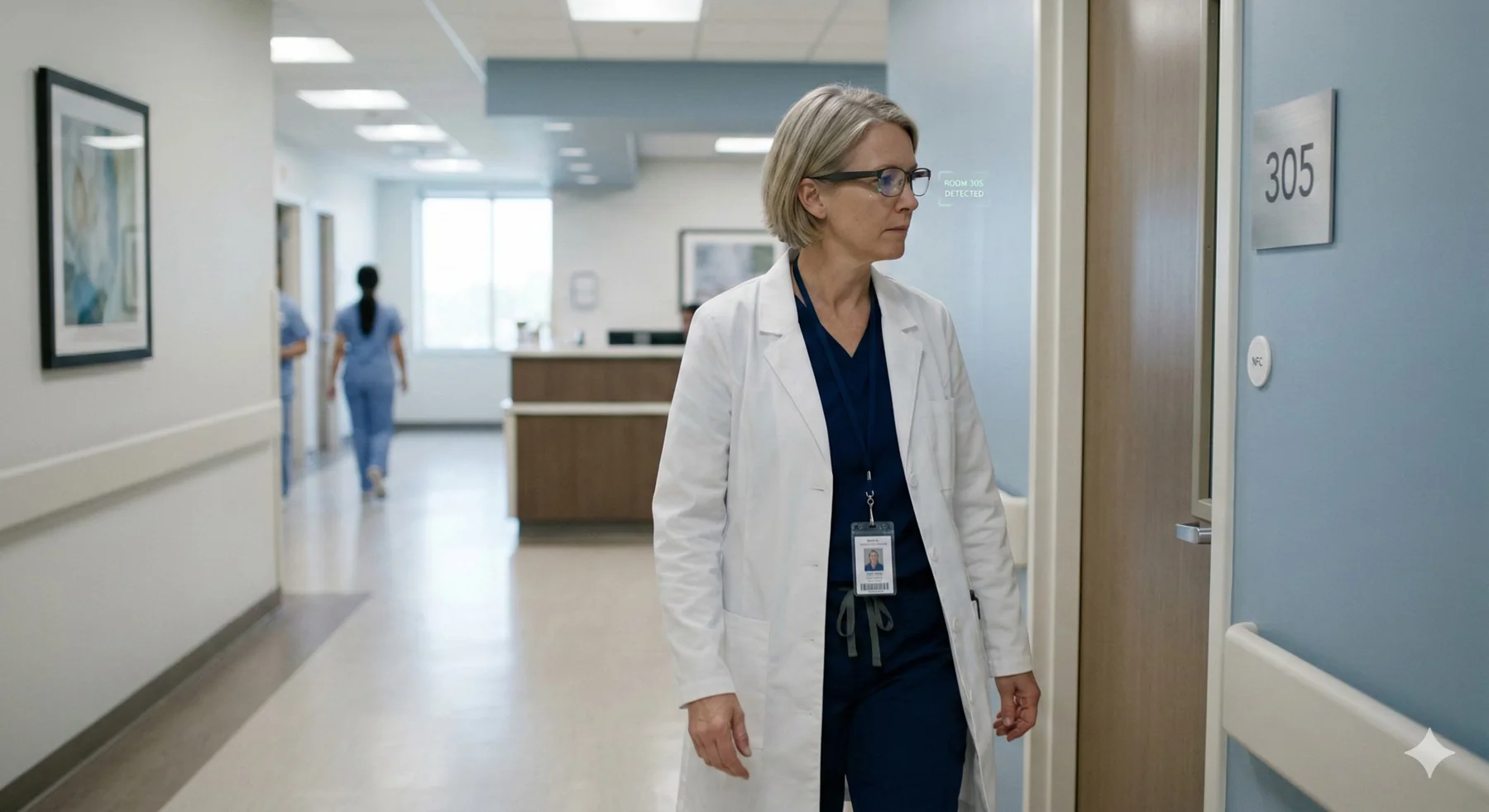 Room 305 · data syncingAI-assisted
01 / 04
Doctor approaches the patient room
- System trigger
- NFC tag at the doorframe is detected by AR glasses
- AR response
- Room ID is identified and patient data is securely retrieved
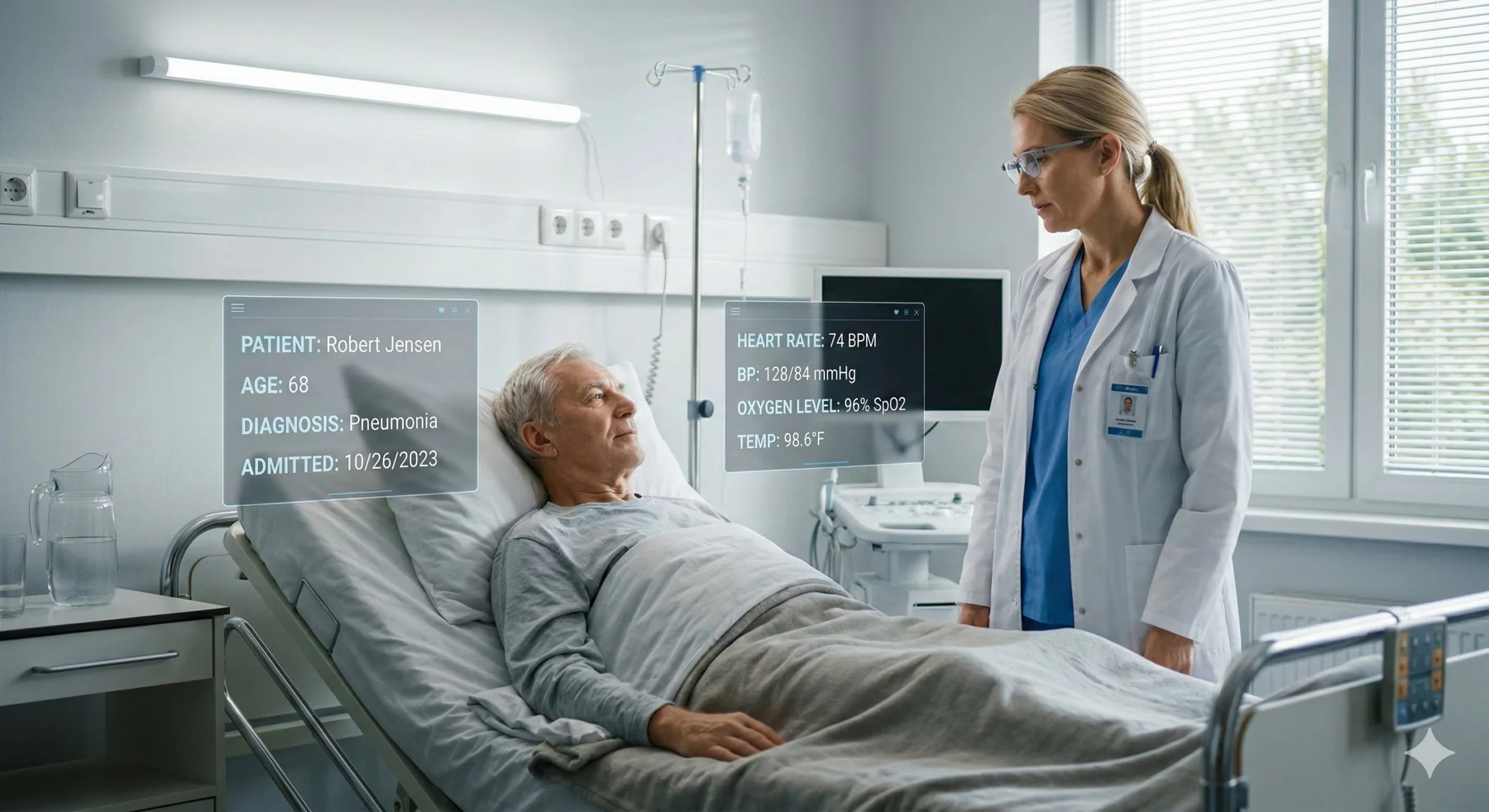 Vitals in viewAI-assisted
02 / 04
Doctor looks toward the patient bed
- System trigger
- Spatial tracking detects patient position
- AR response
- Vital signs and essential patient details appear around the patient
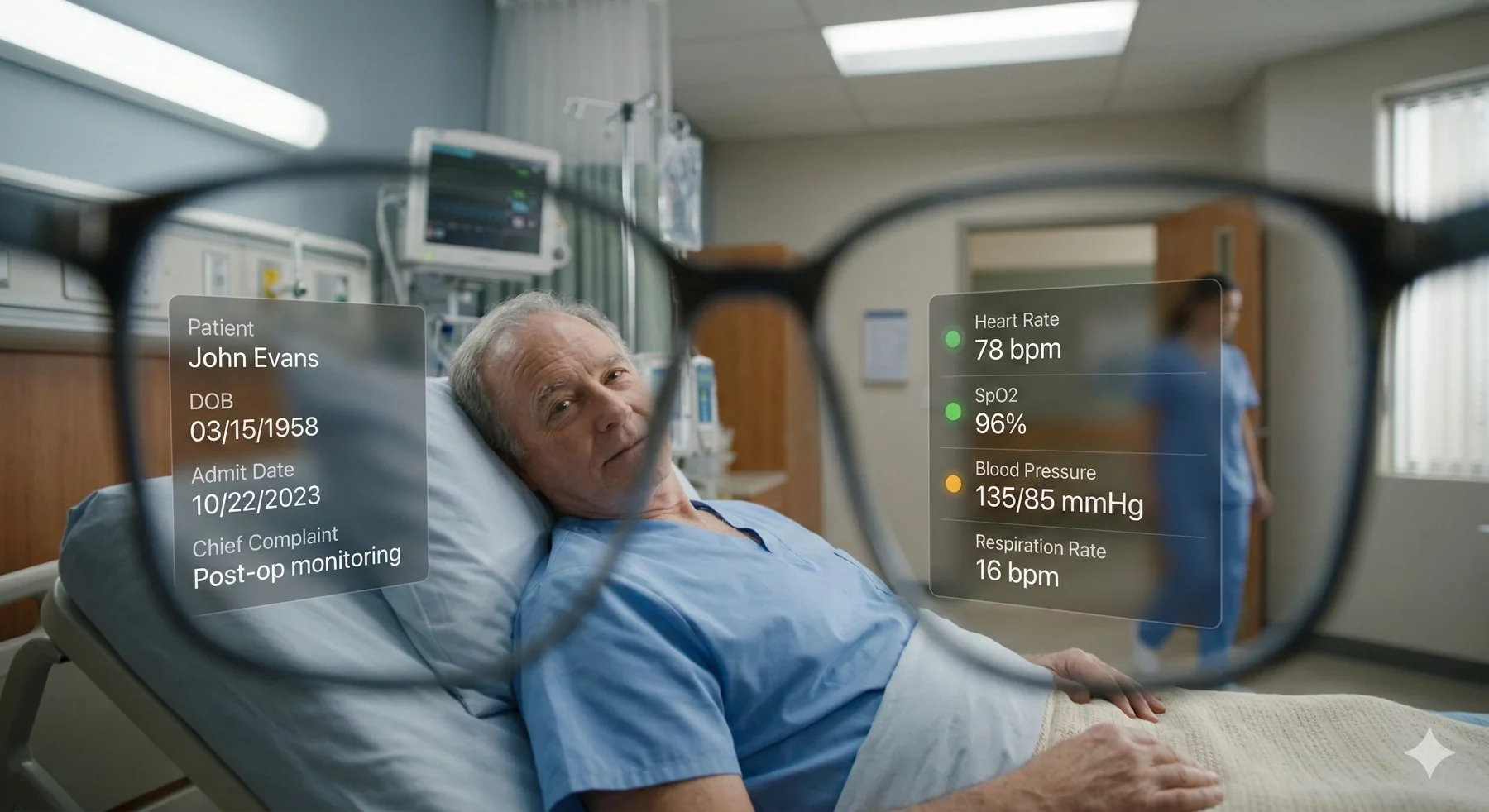 Patient profileAI-assisted
03 / 04
Doctor enters the room
- System trigger
- AR system activates contextual interface based on room ID
- AR response
- Patient profile and key information appear in AR display
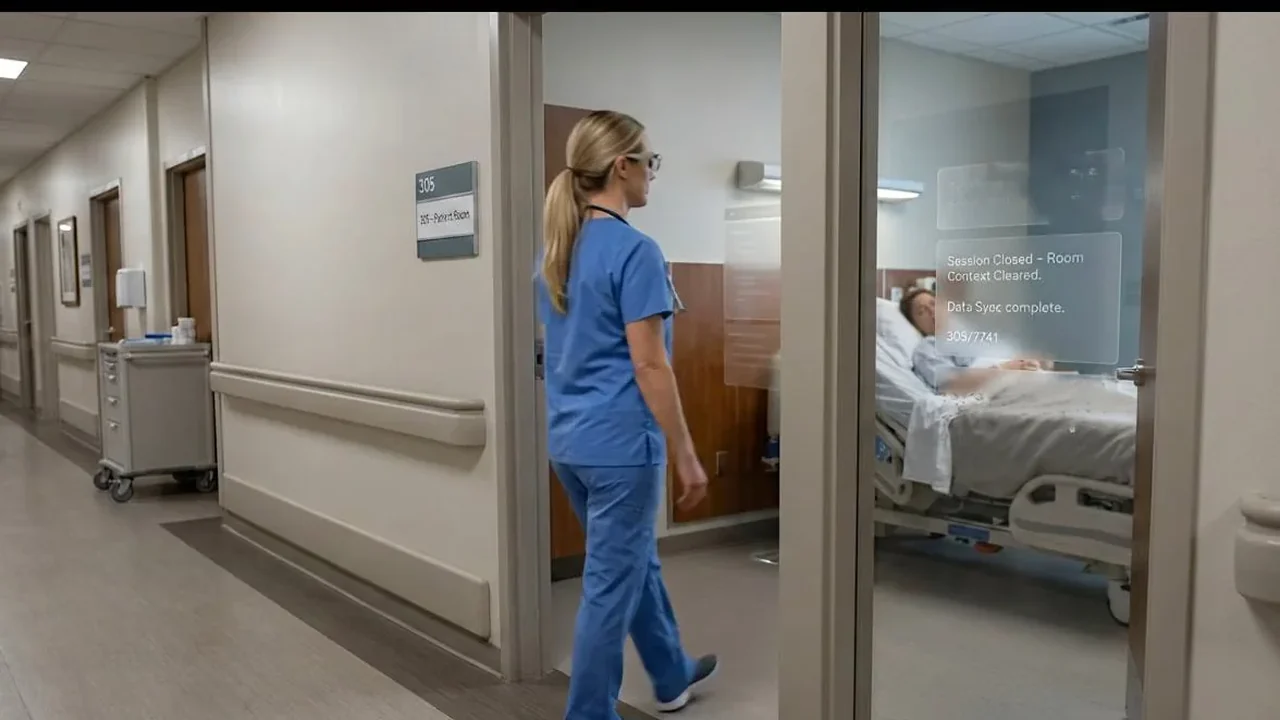 Context resetAI-assisted
04 / 04
Doctor does whatever is required and leaves
- System trigger
- NFC tag at the doorframe is detected by AR glasses again
- AR response
- Overlay disappears and context resets
Unlike VR, AR preserves real-world interaction and clinical authenticity.
The value.
FlowAR improves hospital operational efficiency by reducing workflow friction and cognitive switching during rounds. Small time savings per patient scale across departments, while maintaining human-centered patient interaction and eye-level engagement.
20 seconds saved per room adds up to hours recovered daily.
13:20back for one doctor, every day
40 rounds × 20 seconds
- Operational efficiency
- Eye-level engagement
- Small time savings
Flow VR
The final phase
We translated FlowAR into a fully immersive VR environment: a virtual hospital where every object and space has a functional role in the doctor's journey.
Primary users
- Doctors
- Medical students
- Healthcare trainees
Secondary users
- Hospital staff
- VR simulation learners
The ward
We laid the floor out on real hospital logic first, then built it in Unity.
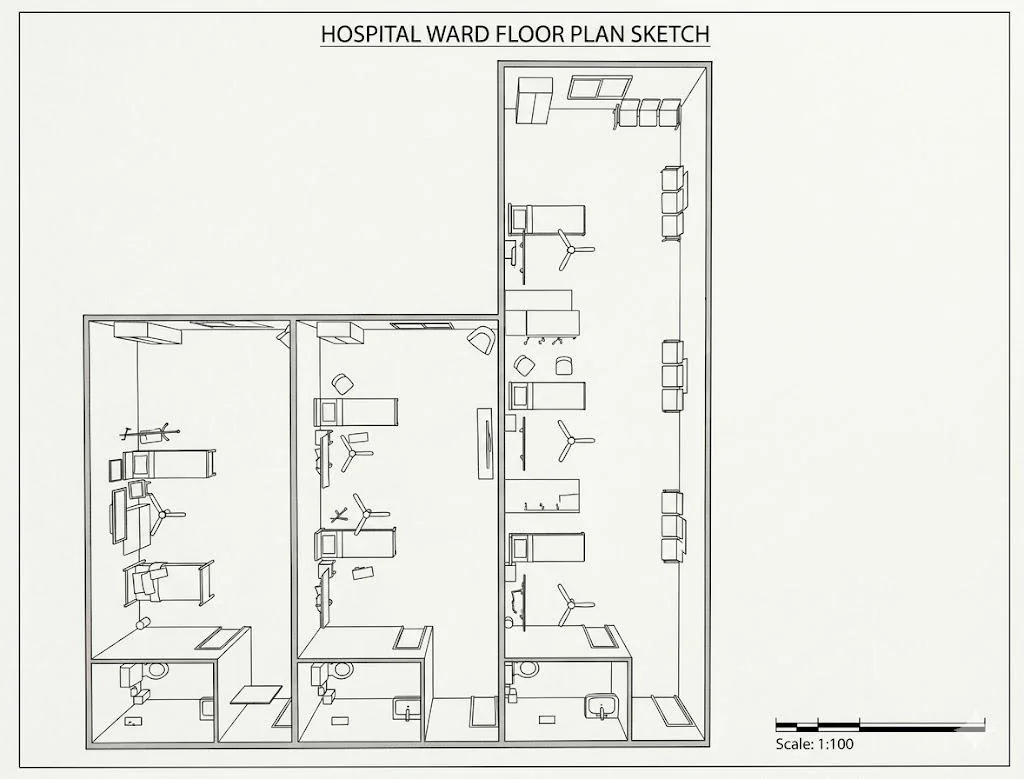
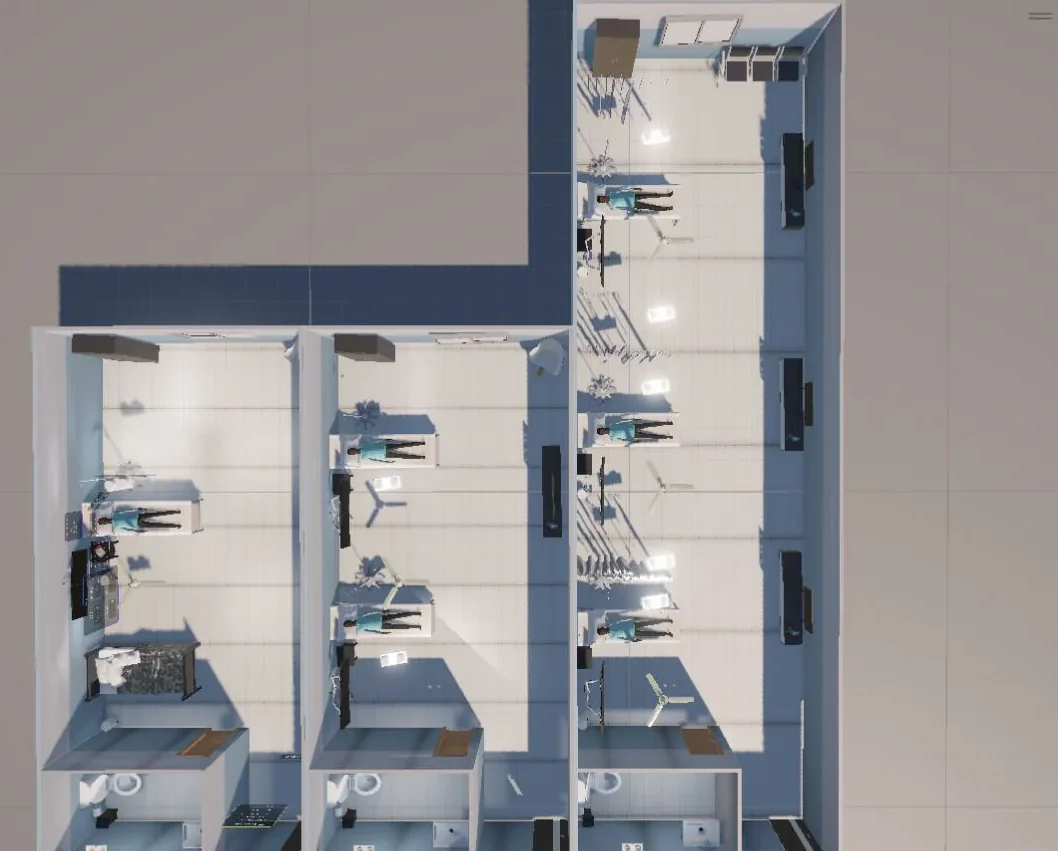
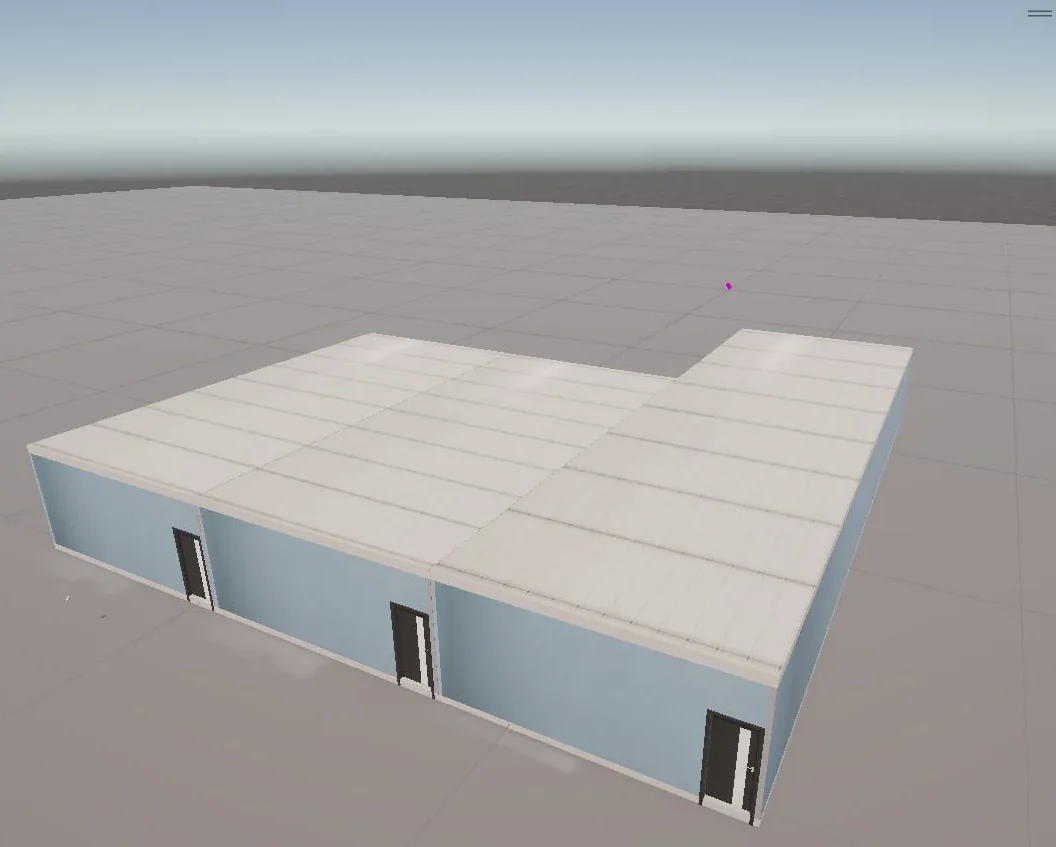
Ten interactions.
Pick one to see what the doctor sees in the ward, and what triggers it. Filter by how it's triggered.
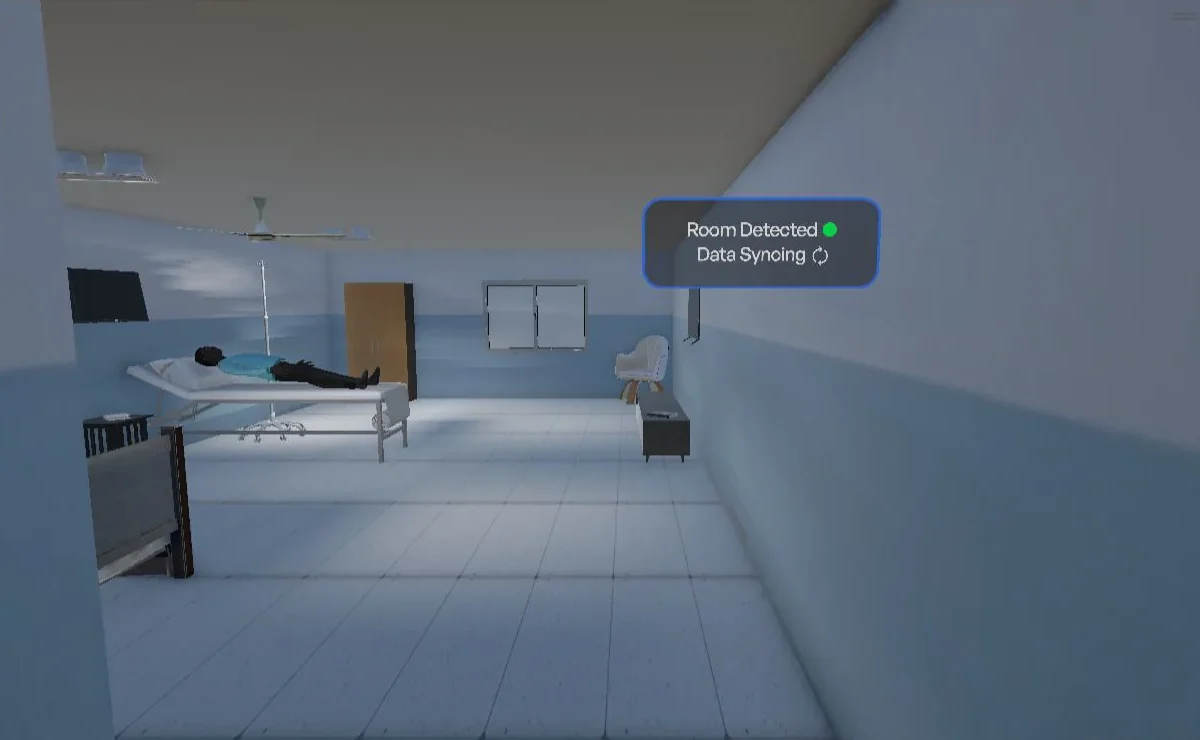 01 · Room entry
- Object or location
- Enters room
- Interaction type
- Proximity-based
- Input trigger
- Doctor walks into a room
- Output or response
- HUD shows “Room Detected” and “Data Syncing”.
 02 · Medical monitor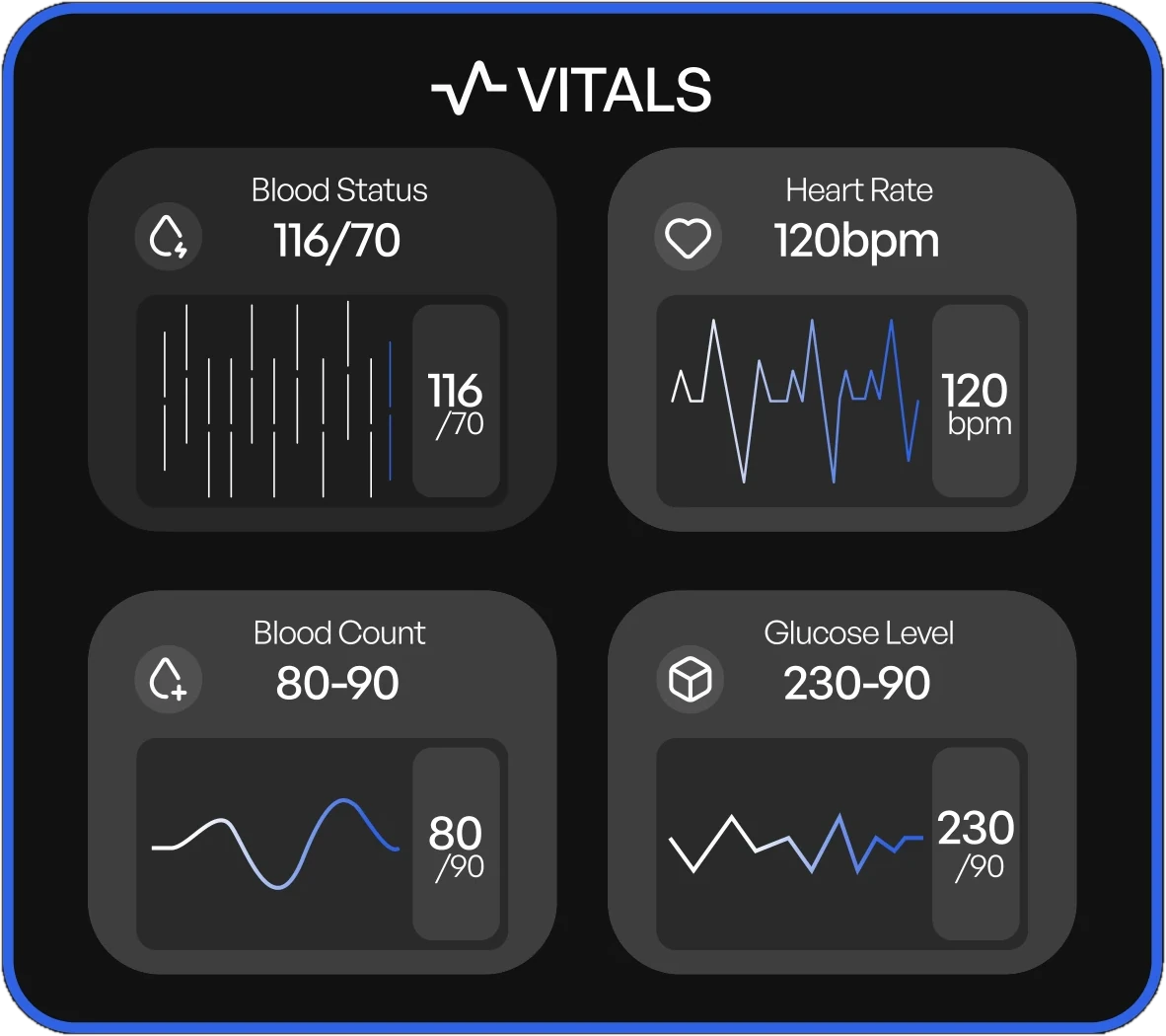
- Object or location
- Heart monitor
- Interaction type
- Proximity or gaze-based
- Input trigger
- Doctor approaches or looks at the monitor
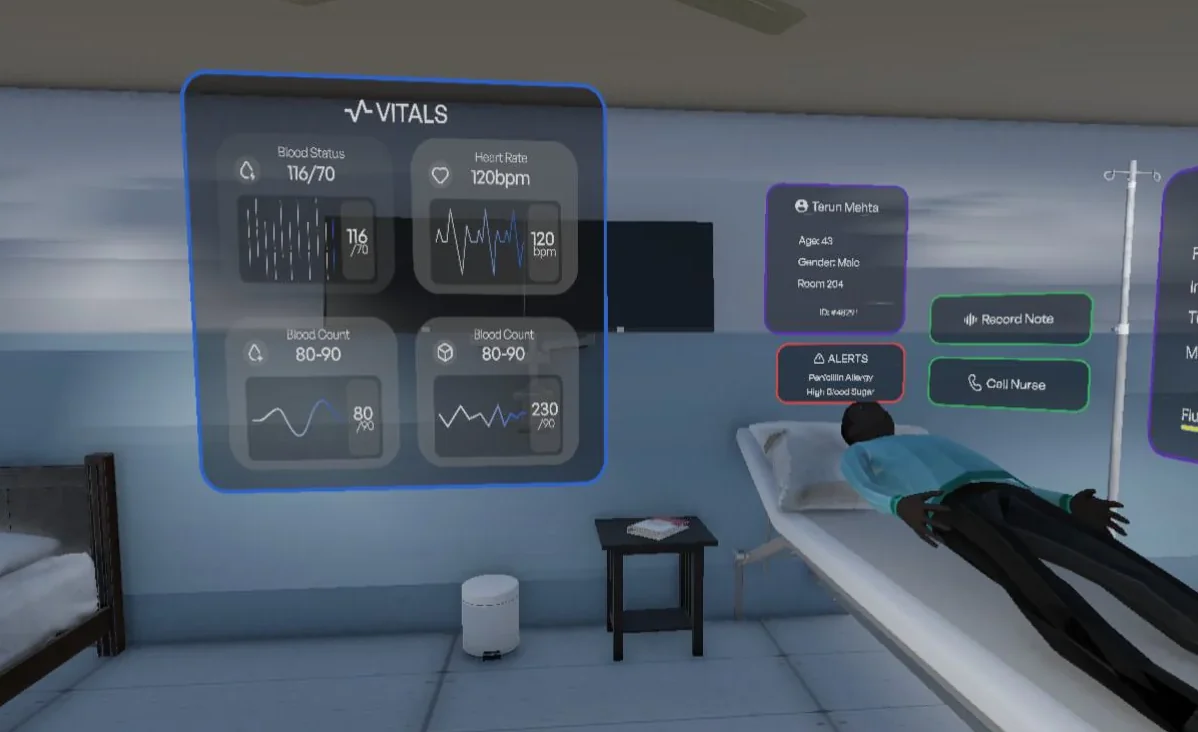
- Output or response
- Floating vitals panel expands showing heart rate graph, oxygen saturation, and blood pressure trend with live animation.
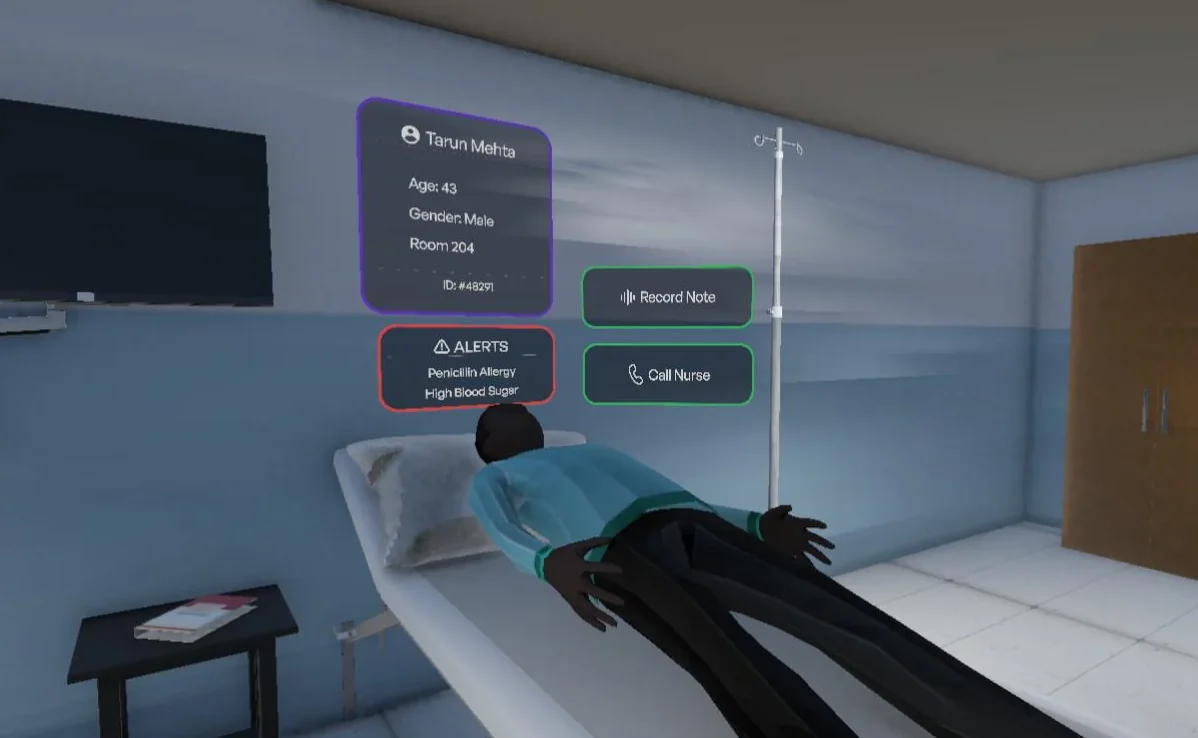 03 · Patient identification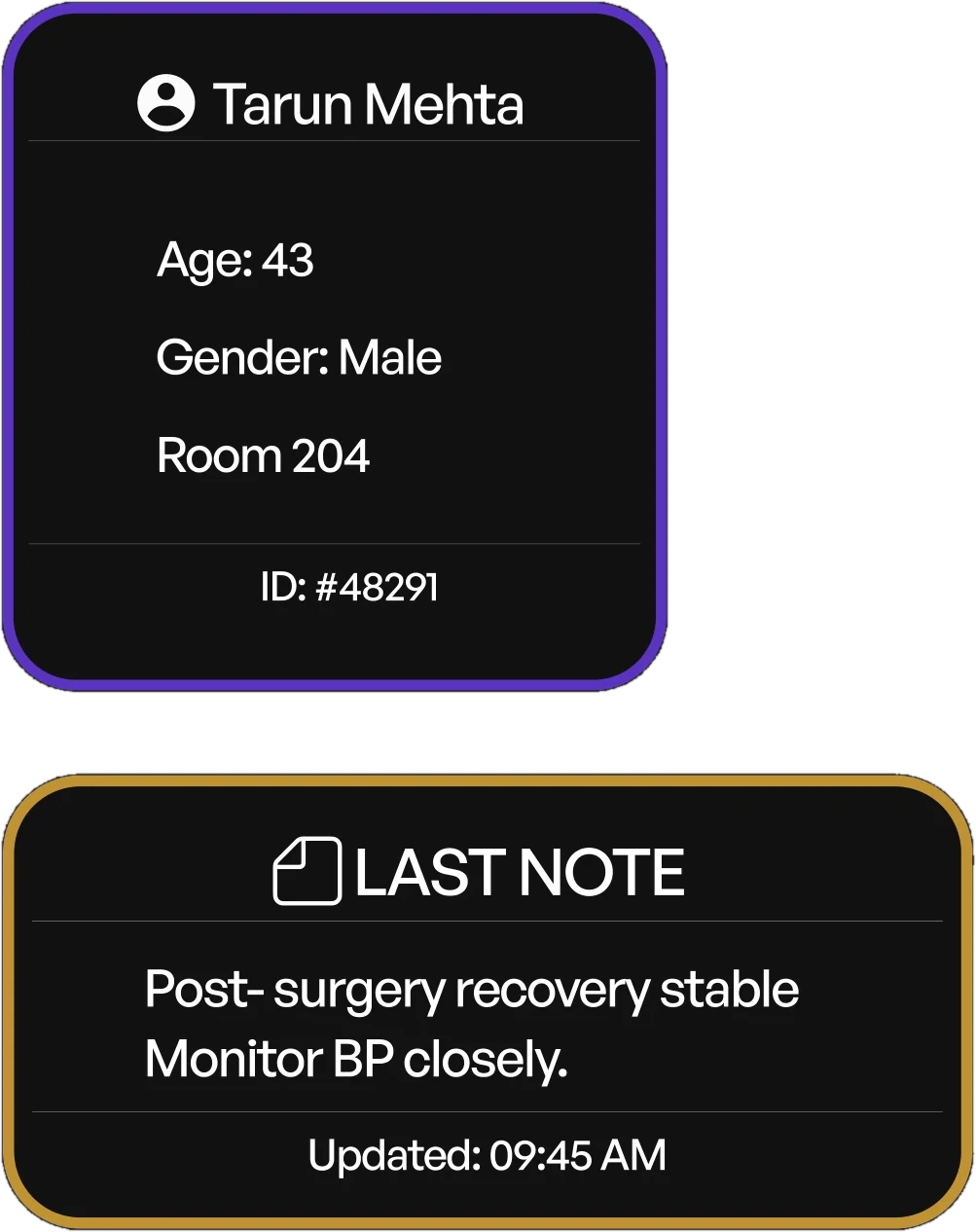
- Object or location
- Patient
- Interaction type
- Gaze-based
- Input trigger
- Doctor looks at patient for ~1 second
- Output or response
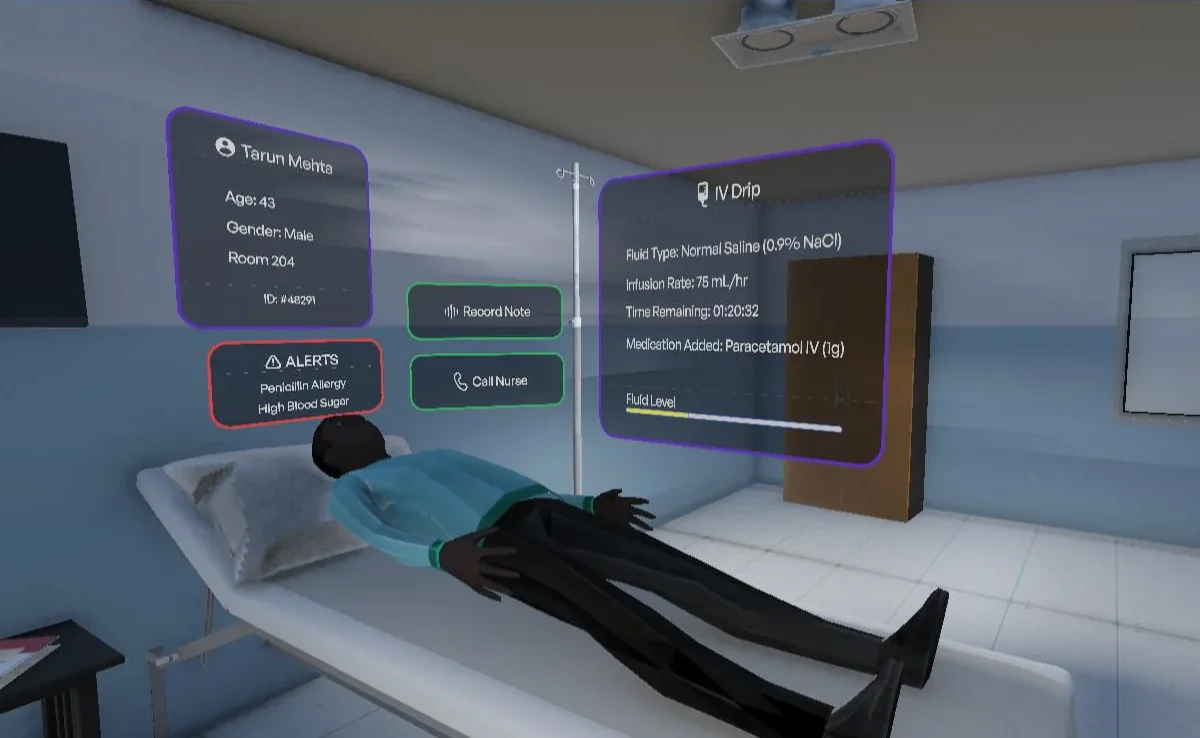
- HUD displays patient name, age, gender, room number and last note if there’s any from previous treatment.
04 · Voice note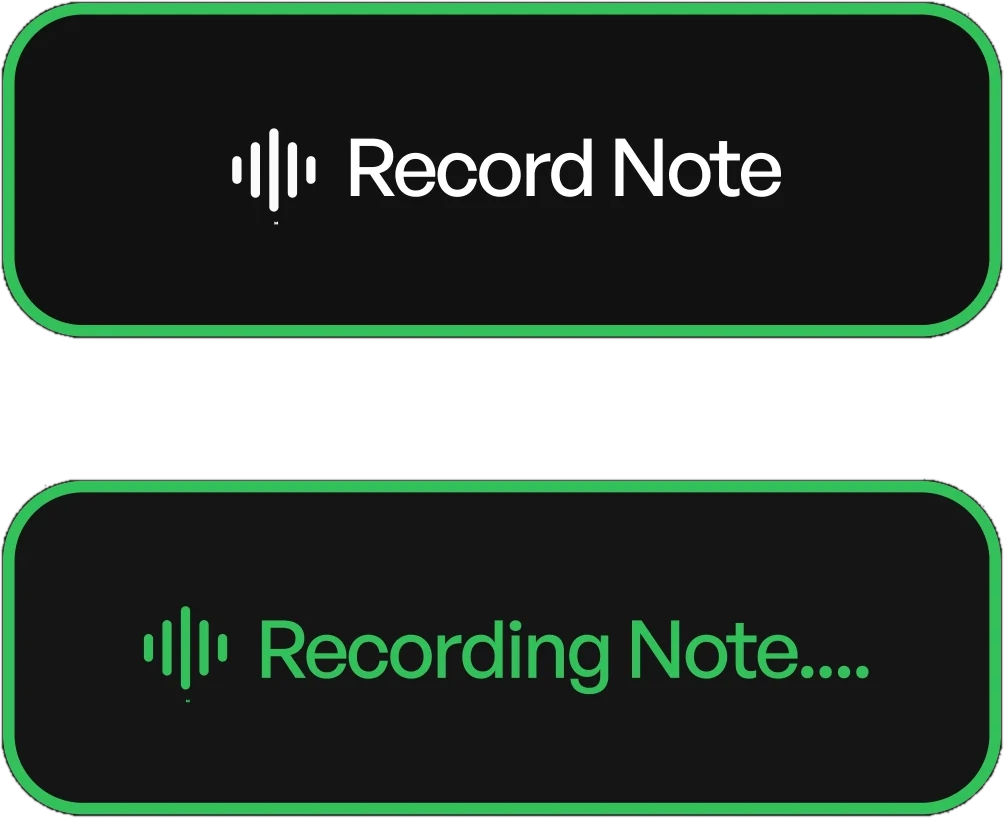
- Object or location
- Patient HUD
- Interaction type
- Gaze-based
- Input trigger
- Doctor looks at the voice recording HUD for 1 second
- Output or response
- HUD displays “Recording note…” and captures voice input for documentation.
05 · Nurse call
- Object or location
- Patient HUD
- Interaction type
- Gaze + controller input
- Input trigger
- Doctor looks at panel and selects option
- Output or response
- HUD shows “Call Nurse” and sends notification upon confirmation.
 06 · IV drip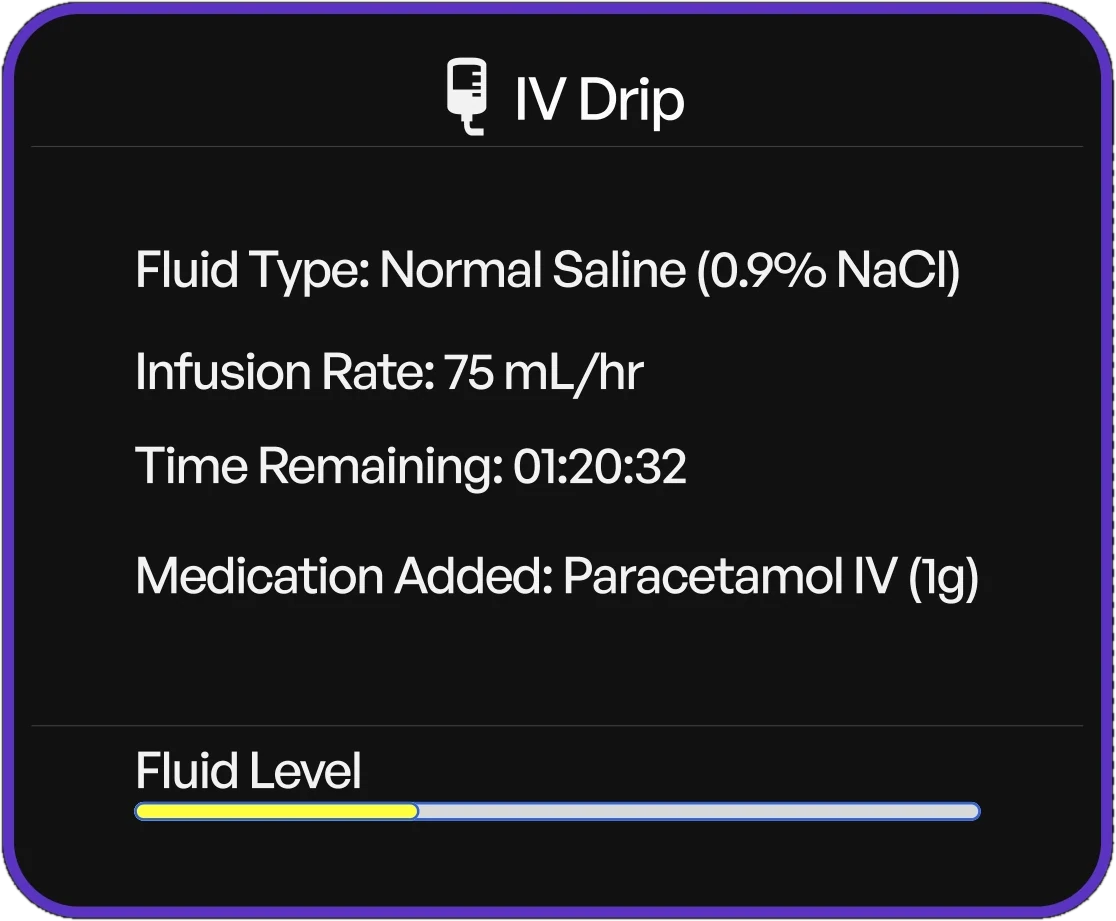
- Object or location
- IV stand
- Interaction type
- Gaze-based
- Input trigger
- Doctor looks at IV stand for ~1 second
- Output or response
- HUD shows fluid type, infusion rate, time remaining, and a progress bar indicating fluid level.
07 · Alert detection
- Object or location
- Patient HUD
- Interaction type
- Proximity or system-triggered
- Input trigger
- Allergies or a spike in blood sugar
- Output or response
- HUD flashes red, alert icon appears, and message shows “Penicillin Allergy” or “High Blood Sugar”.
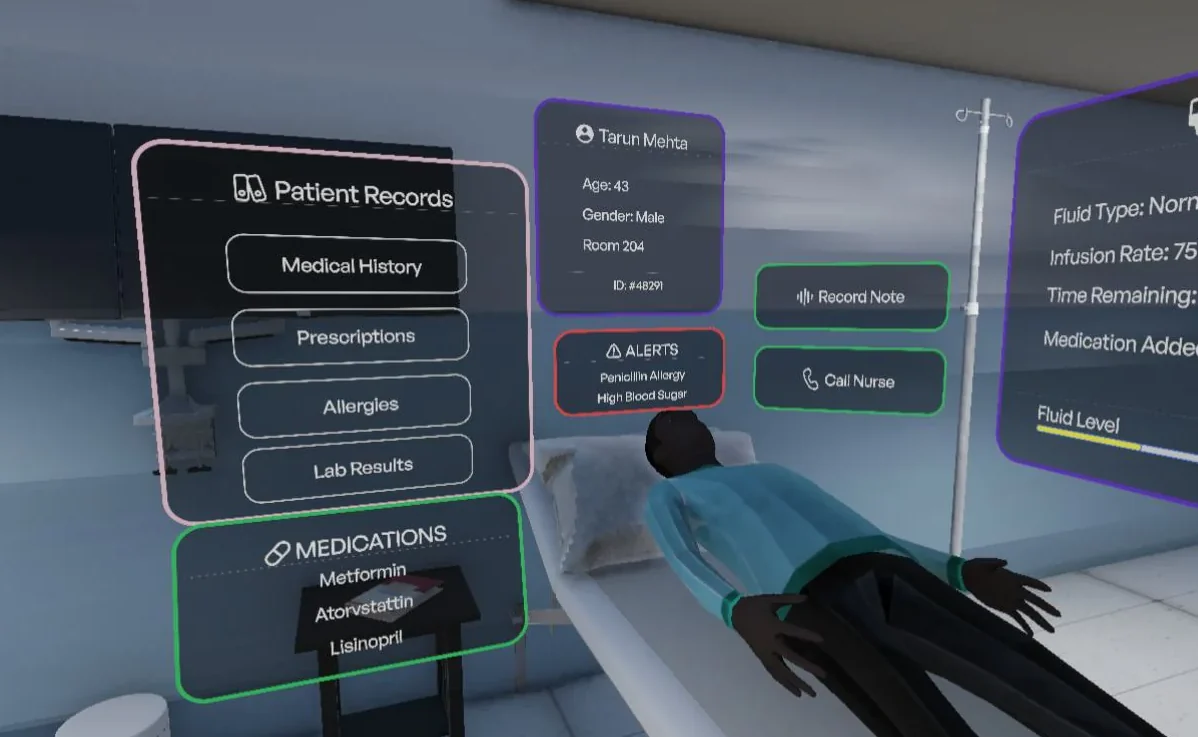 08 · Patient records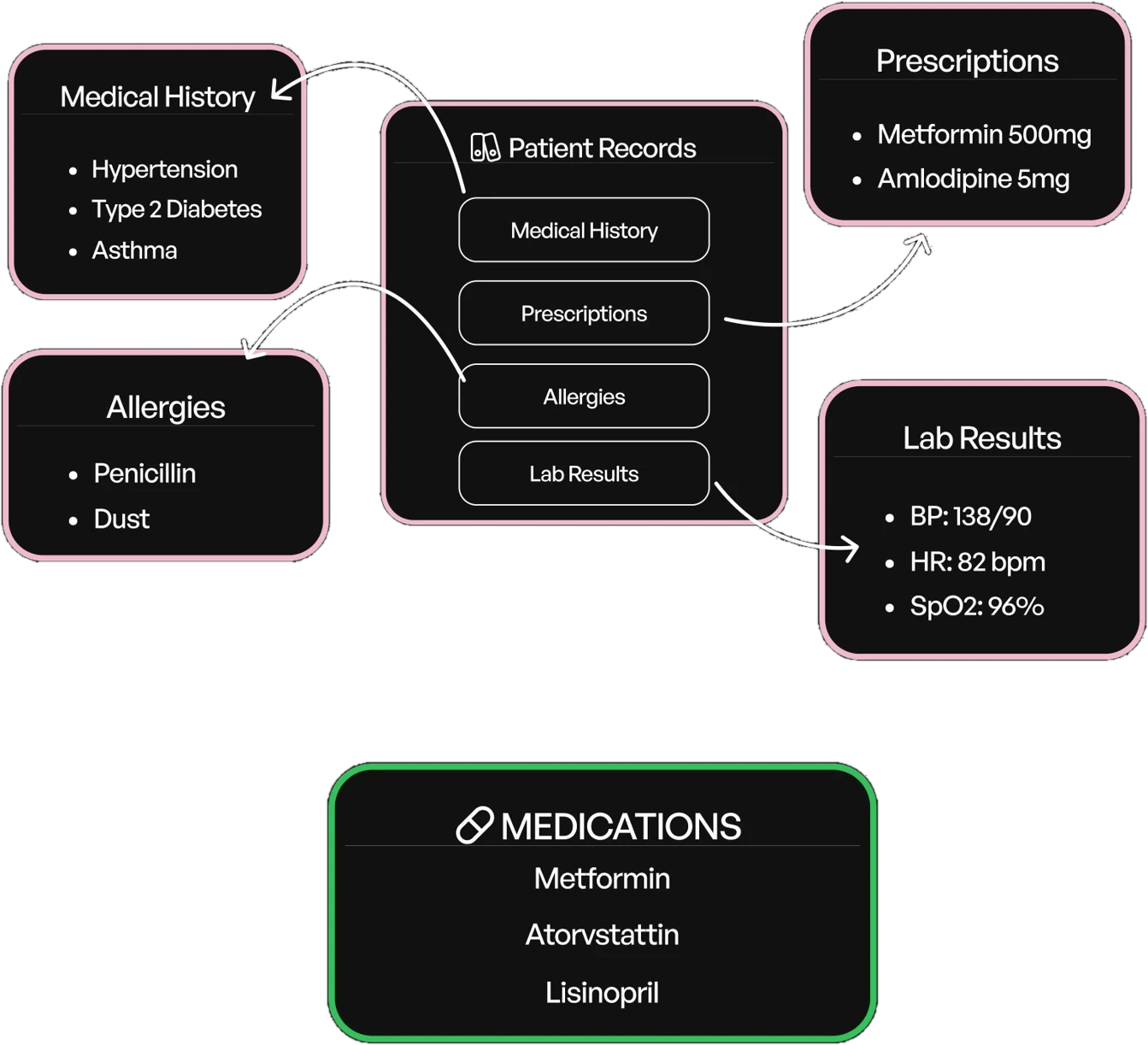
- Object or location
- Files kept on bedside table
- Interaction type
- Gaze or controller input
- Input trigger
- Doctor looks at files kept on the table
- Output or response
- Side panel opens showing medical history, prescriptions, allergies, and lab results; displays the medications taken by the patient.
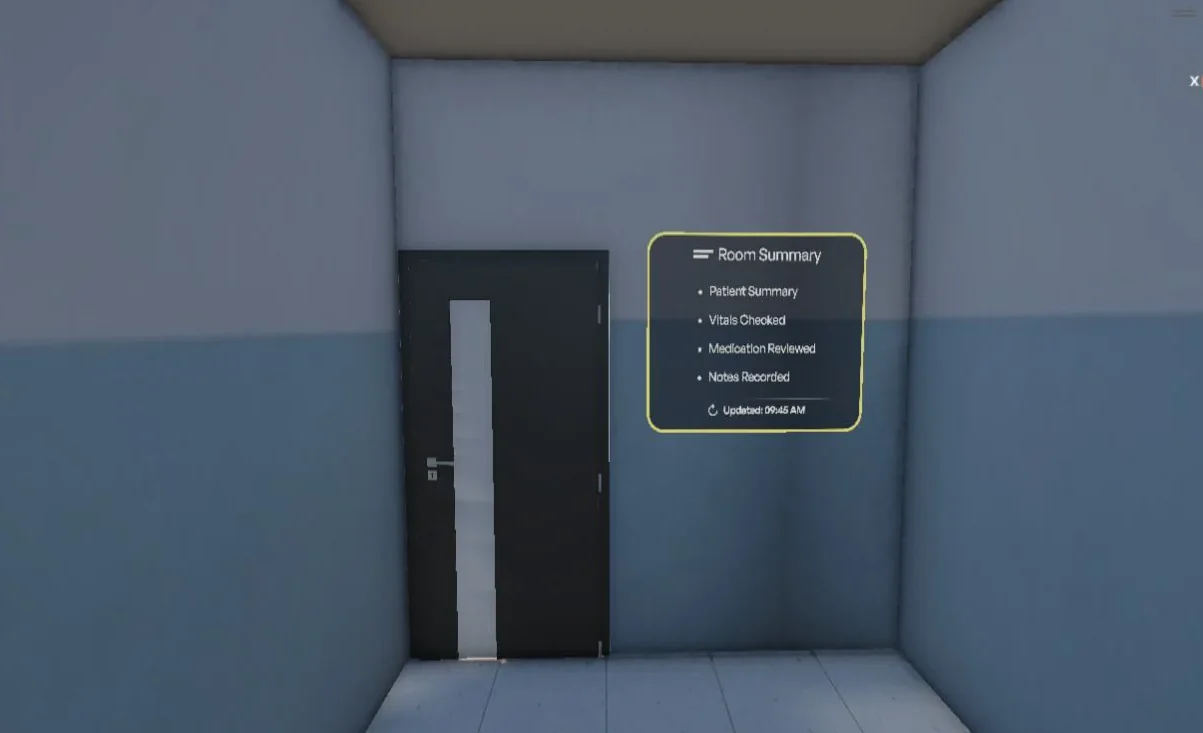 09 · Room summary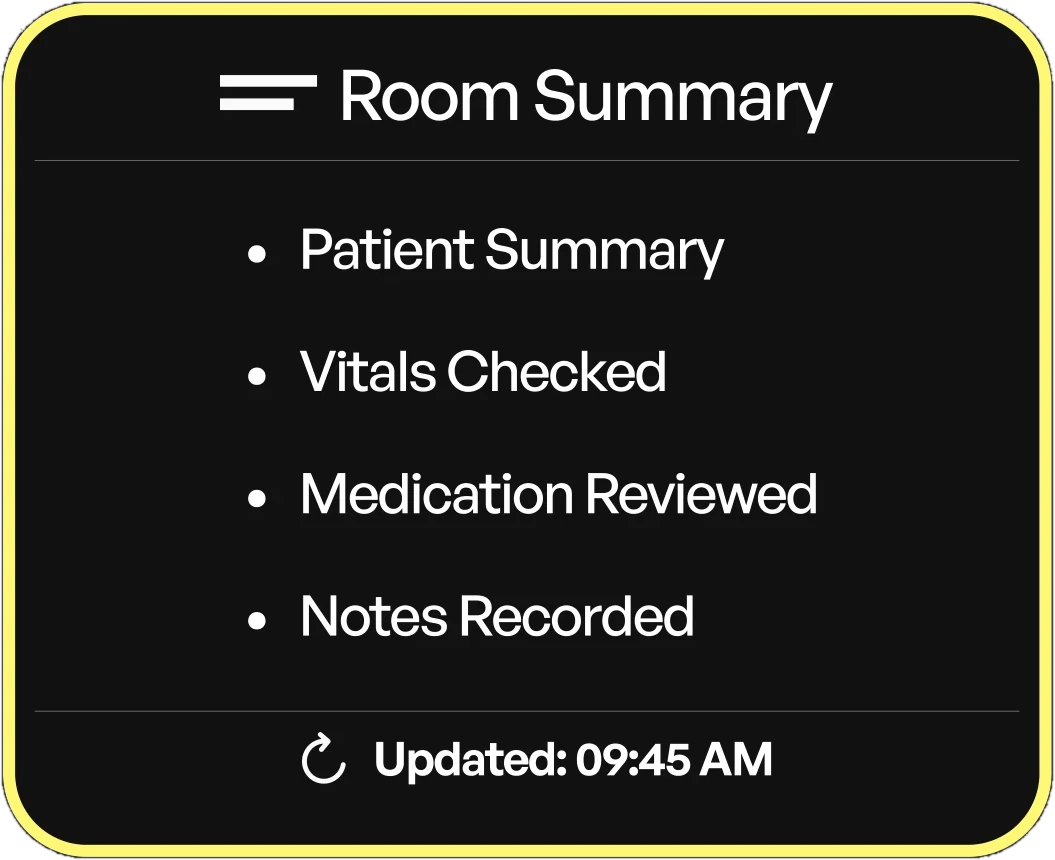
- Object or location
- Exit door
- Interaction type
- Proximity-based
- Input trigger
- Doctor walks toward door
- Output or response
- HUD displays quick summary: vitals checked, medication reviewed, notes recorded.
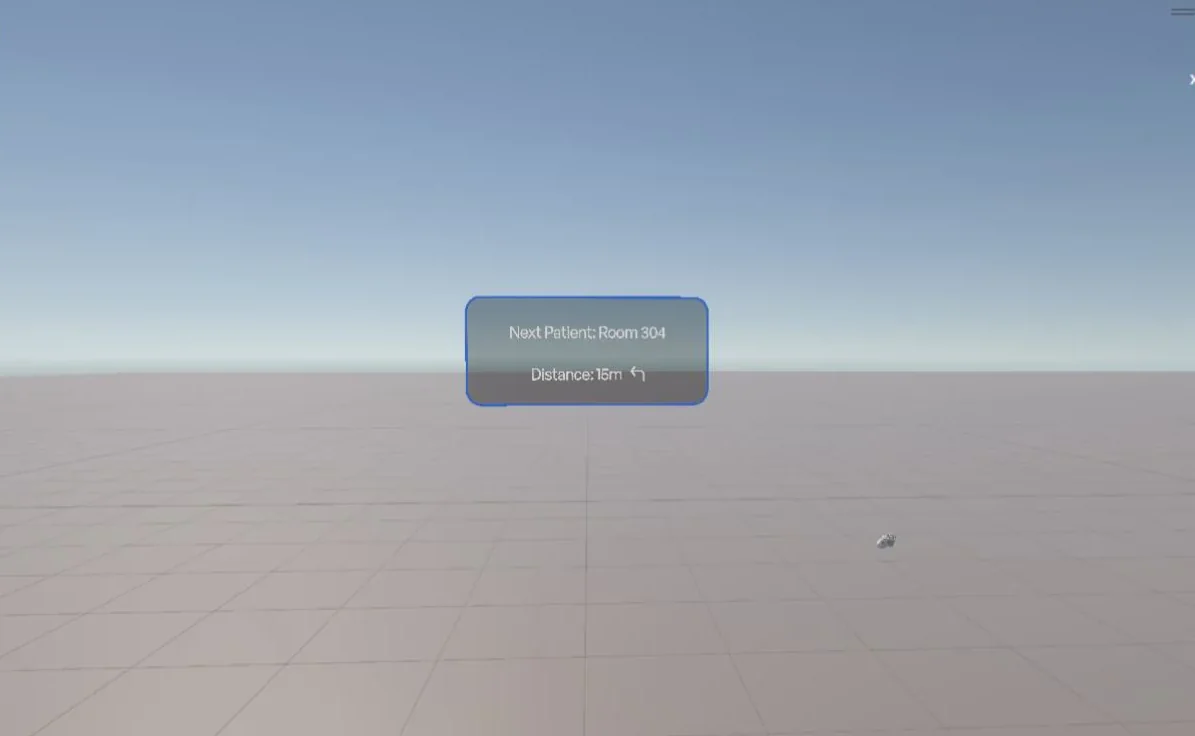 10 · Navigation guidance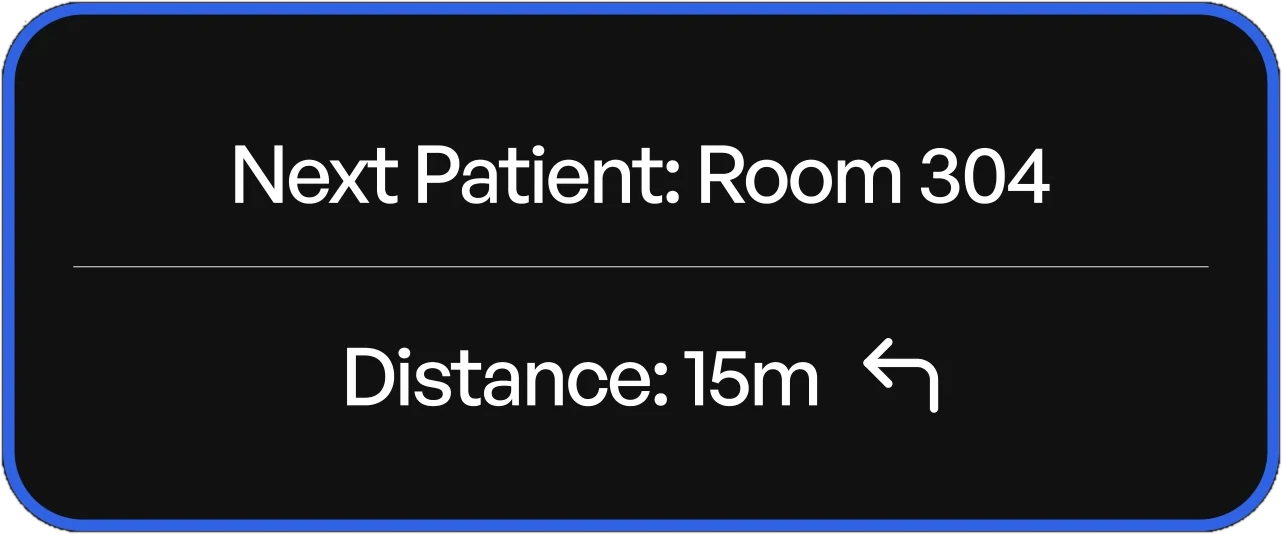
- Object or location
- Hallway / exit direction
- Interaction type
- Proximity-based
- Input trigger
- Doctor walks out of a room
- Output or response
- HUD shows next patient room number, distance, and directional arrow on floor.
What's built?
What we implemented
- Basic VR environment setup in Unity
- Scene navigation using XR setup
- Object-level interactions using simple triggers
- Structured layout based on real-world hospital logic
Represented as placeholders
- HUD panels for patient data and vitals
- Advanced interaction feedback (animations, alerts)
- Context-based system responses (auto data display)
Tools
- Unity: environment creation and scene setup
- XR Interaction Toolkit: basic interaction handling
- Blender / 3D assets: modelling and asset integration
- Asset libraries: pre-built hospital elements
- Figma: HUD UIs
My part.
- Imagined
The idea: patient data that appears where the doctor is already looking.
- Designed
Every HUD panel in Figma, from vitals and alerts to records, the IV drip and navigation.
- Built
The entire Unity work: the ward, navigation and every interaction trigger, with the XR Interaction Toolkit.
- Modelled
Helped with the Blender models for the ward.
- Presented
Contributed to the decks.
Aditya Vellal (me), Ahona Kar and Mishka Fernandes.
- Connect the HUD panels to live data instead of placeholders.
- Put it in front of doctors and medical students in a real headset.
- Take it back to AR glasses with real NFC tags on a ward.